4
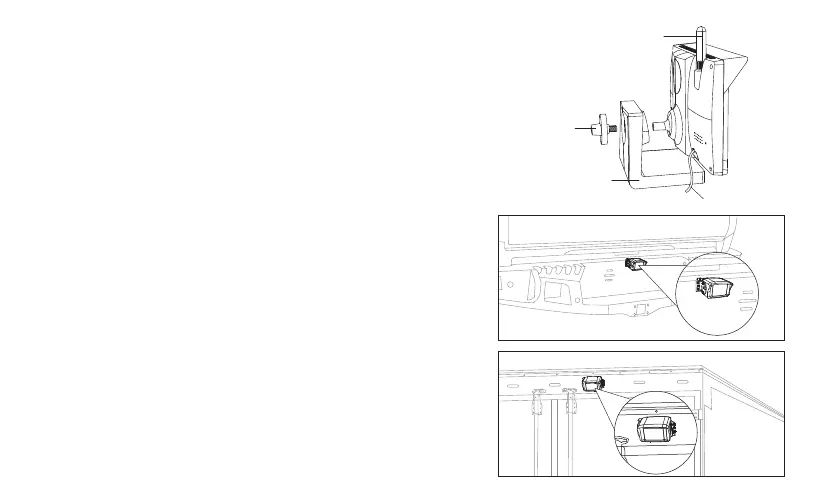
● If you need to remove the monitor, you can separate the monitor from the mount
holder by unscrewing the rotary knob on the back of the monitor.
2) Connect the monitor cable with the car charger cable. Plug the car charger into
12V/24V cigarette lighter port in your car.
Note:
● To avoid poor contact, please fully insert the monitor cable into the car charger
cable.
● If the cigarette lighter of your car is constant power (it has power after turning off the
engine), in order to prevent the car battery from draining, please unplug the car
charger before leaving the car.
Installing the backup camera
Note: This product supports two cameras. The package comes with one camera, if
you need to connect a second camera, please purchase the specified camera.
1) The installation location of the backup camera
The installation location of the backup camera is flexible, depending on the vehicle
models. It can be installed on the rear bumper of the vehicle, or the roof of the vehicle,
etc. (As shown on right)
Note: When confirming the installation location of the camera, you also need to
check the signal reception and camera's angle of view, and evaluate whether
the power cable is long enough. If it is not long enough, you can extend the power
cable by yourself.
Antenna
Mount holder
Connection line
Rotary Knob


 To Next Page
 Loading...