
 Need help?
Do you have a question about the Auto Vox W10 and is the answer not in the manual?
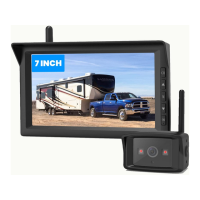
Lists all items included in the digital wireless backup camera kit for user verification.
Crucial pre-installation guidelines, safety regulations, and vehicle testing steps.
Detailed instructions for attaching the 7-inch monitor to the vehicle's dashboard.
Step-by-step guide for physically mounting the backup camera on the vehicle's exterior.
Instructions for connecting camera power via reverse light and linking cables.
Guides on finding power sources, adjusting camera angle, and extending the mounting bracket.
How to use monitor buttons, navigate menus, and adjust settings like brightness and contrast.
Adjusting guidelines, pairing cameras, and switching between camera views or split screen.
Details on switching between camera feeds and understanding split-screen functionality.
Explains automatic daytime/nighttime modes and how to put the monitor into standby.
Solutions for when the monitor fails to display any image or the brand logo.
Addresses issues like unclear images, flashing, or delays caused by lighting or signal interference.
Troubleshooting steps for flashing indicator lights, often related to camera pairing.
 General
| Brand | Auto Vox |
|---|---|
| Model | W10 |
| Category | Digital Camera |
| Language | English |

 To Next Page