7
Operating Instructions
Monitor operations
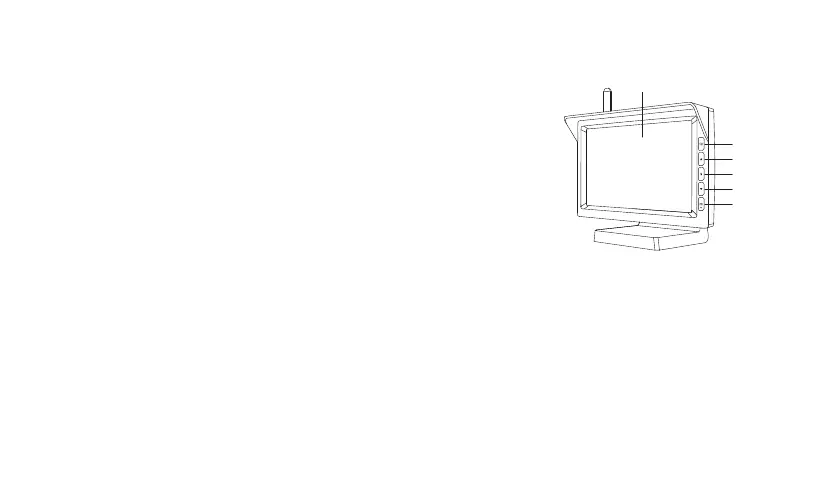
1) CH: Switch CAM1/CAM2 channel.
2) ▲: Forward/increase.
3) M: Menu/Return/Confirm.
4) ▼: Back/decrease.
5) OK: Confirm.
Monitor menu settings
1) Press M to access menu mode.
2) Press ▲ and ▼ to advance the following menu items:
Pair: pair the monitor with backup cameras.
B/C Control: adjust the monitor brightness and contrast.
M/U Control: switch to Mirror/Normal/Up/Down image.
Guide Line: activate or deactivate guidelines.
Reset: return to factory settings.
Press M/OK to confirm your settings and exit the menu.
Basic operations
1) Choose the sizes of guidelines
Step1: Set the guideline ON on menu.
Step2: Put the car in reverse and the monitor shows the image (non-menu mode).
Step3: Press and hold M for about 3 seconds until the guidelines flick.
CH
7 inch Screen
UP
DOWN
OK
M


 To Next Page