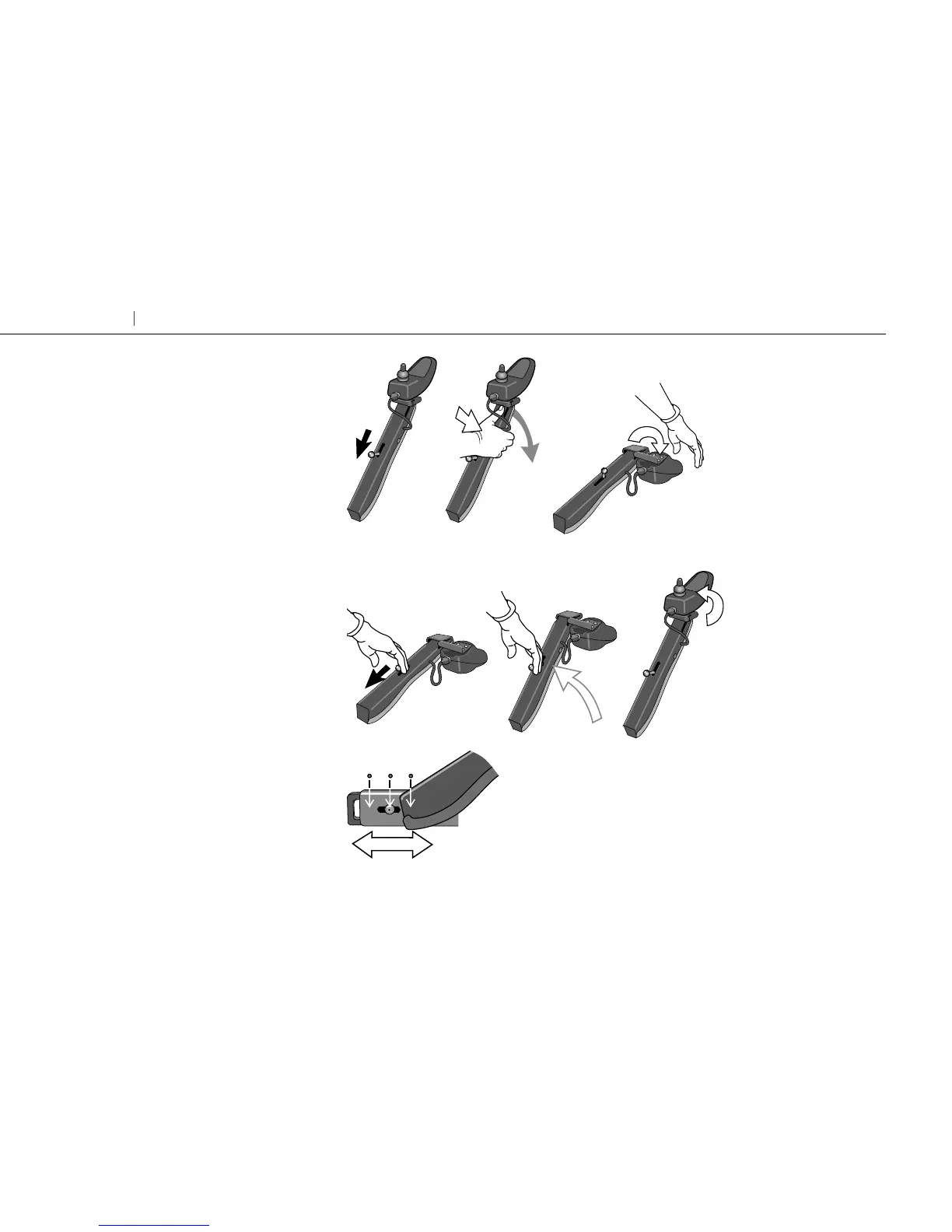
The control box arm is lowered as
follows
Pull the release button, placed on top of
the arm, towards the back and lower the
arm. At this stage the control box has
also been released and can be folded to
the side.
The control box arm is raised as
follows
Pull the release button towards the back
and the arm will rise by itself. Return the
control box to operating position.
The lengthwise position of the
control box arm is adjusted as
follows
Unscrew the socket head cap screw
placed in the groove by the arm attach-
ment in the wheelchair frame. Adjust
and tighten the screw.
34
Carony Go Getting seated


 To Next Page