EasyManua.ls Logo

AUTOBACS EAGLE-i - User Manual

AUTOBACS EAGLE-i
16 pages
Print Icon
To Next Page IconTo Next Page
Loading...
1
2K + FHD DUAL DASH CAM
Version 1.2
Question and Answer IconNeed help?

Do you have a question about the AUTOBACS EAGLE-i and is the answer not in the manual?

Summary

Disclaimers and Notes

Disclaimers

Provides essential warnings and guidelines for safe product use and handling.

Notes for Usage

Offers important usage advice, including cleaning and maintenance, to ensure optimal performance.

Device Components and Identification

Front and Rear Camera Parts

Details the identified parts and connectors of both the front and rear dash camera units.

Key Functions and Indicator Lights

Key Functions

Details the operational keys and their functions, like WiFi control and SD card formatting.

Indicator Lights

Explains the status and meaning of the LED indicator lights on the device.

Precautions and Installation

Precautions Before Installation

Lists crucial checks and actions to perform before installing the dash cam.

Installation Guide

Provides detailed instructions for installing the dash cam and rear camera.

Specifications

Device Specifications

Details the technical specifications of the dash cam, including sensors, resolutions, and memory.

Additional Specifications

Covers further technical details like GPS, night vision, power supply, and dimensions.

App Operation Instructions

App Download and WiFi Connection

Guides on downloading the app and connecting the smartphone to the dash cam via WiFi.

Trouble Shooting

Common Issues and Solutions

Provides solutions for common problems such as recording errors, fuzzy images, and connectivity issues.

Warranty Information

Consumer and Commercial Warranty

Outlines the terms and duration of the consumer and commercial warranties.

Warranty Claim Process

Details the procedure for warranty repairs and claims, including required documentation.

Service and Contact Information

Provides contact details and hints for expediting service and equipment return.

Overview

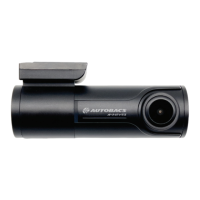
The AUTOBACS EAGLE-i 2.2K is a 2K + FHD Dual Dash Cam designed for vehicle recording, featuring GPS data logging.

Function Description:

The EAGLE-i 2.2K is a dual dash camera system, comprising a front camera and a rear camera, designed to record video in 2K (QHD) and Full HD (FHD) resolutions. It includes GPS for data logging, allowing for the recording of route and speed information. The device supports seamless loop recording, ensuring continuous recording by overwriting older files when the SD card is full. Parking monitoring is also available. The dash cam automatically turns on when vehicle accessory power is supplied. Users can connect to the device via Wi-Fi using the "AUTOBACS DRIVE" app on Android or iOS smartphones to view live video, track journeys, change camera settings, or download captured footage and photos.

Important Technical Specifications:

  • Display: No built-in display.
  • Front Image Sensor: 5MP Sony STARVIS IMX335.
  • Rear Image Sensor: 2MP Sony STARVIS IMX307.
  • Front Only Resolutions:
    • QHD 2K (2560 x 1440) at 60fps
    • QHD 2K (2560 x 1440) at 30fps
    • FHD (1920 x 1080) at 60fps
    • FHD (1920 x 1080) at 30fps
  • Front + Rear Resolutions:
    • QHD 2K (2560 x 1440) at 30fps + FHD (1920 x 1080) at 30fps
    • FHD (1920 x 1080) at 30fps + FHD (1920 x 1080) at 30fps
  • Lens Diagonal Viewing Angle:
    • Front: 135.4°
    • Rear: 130°
  • Memory Support: Up to 1 x 128GB Micro SD Card. Includes a 64GB SanDisk High Endurance card.
  • Micro SD: Must be a speed class designed for continuous recording (8GB to 128GB capacity).
  • WiFi: Dual Band 2.4GHz & 5GHz.
  • App: "AUTOBACS DRIVE" App.
  • GPS Function: Yes, for route and speed data logging.
  • Night Vision: WDR (Wide Dynamic Range).
  • G-Sensor: Yes.
  • Parking Monitoring: Yes.
  • Seamless Loop Recording: Yes.
  • Video Format: MP4.
  • Power Supply: 12/24V Cig Power Lead.
  • Hard Wiring Kit (Optional):
    • Input: 10-30V DC
    • Output: 5VDC 2A
    • Low voltage protection: 11.9V/23.9V
    • Includes 3 Fuse Taps
    • Cable length: Input 0.5m + Output 3.5m
  • Rear Camera Lead: 8m.
  • Built-In Battery: No.
  • Operating Temp: -20°C ~ +60°C.
  • Dimensions:
    • Front: 98 x 29 x 43.8mm
    • Rear: 50 x 19 x 31mm

Usage Features:

  • Installation: The dash cam mounts to the windshield using a 3M adhesive bracket, positioned near the rear-view mirror to avoid obstructing the driver's vision. The rear camera also mounts with 3M adhesive near the top of the rear window. Power is supplied via a micro USB port, connecting to a cigarette socket (car charger) or an optional hard wire kit. The rear camera connects to the dash cam via an 8m cable.
  • Controls:
    • WiFi Button: Press and hold for 3 seconds to turn WiFi on/off. Triple press to switch between 2.4GHz and 5GHz Wi-Fi bands. Press and hold for 10 seconds to format the SD card.
    • Reset Button: Press and hold the WiFi/Reset button for 8 seconds to reset the unit.
  • Indicator Lights:
    • WiFi Indicator (Blue): On when WiFi is active, off when WiFi is off.
    • Power/Recording Indicator (Red): Solid red when powered on and not recording. Flashes red while recording.
    • GPS Status Light (Green): Solid green when a GPS signal is being received.
  • App Connectivity: Connect to the "EAGLE-i" Dash Cam Network via smartphone Wi-Fi settings (password: 88889999). The app allows for live view, journey tracking, settings adjustments, and footage/photo downloads.
  • Adjustable Angle: Both front and rear camera angles can be adjusted up or down, with fine-tuning possible using the live-view function in the app.

Maintenance Features:

  • SD Card Management:
    • The micro SD card must be formatted in the dash cam after insertion (press and hold the WiFi button for 10 seconds).
    • Monthly maintenance of the SD card is suggested: check functionality and reformat to avoid file fragmentation.
    • Ensure the unit is off when removing or inserting the SD card to prevent file damage or permanent SD card damage.
    • If recording stops unprovoked, check SD card compatibility, speed class, or replace if damaged from constant use.
    • If "wrong file" is shown, format the SD card.
  • Cleaning:
    • Use a damp soft cloth to clean the unit.
    • Use a microfibre cloth for cleaning the lens to avoid scratching.
    • Limit exposure to dust or sand ingress.
  • Troubleshooting:
    • Unable to record video/snapshot: Check for full or write-protected SD card; delete files or reformat.
    • Fuzzy image: Check for dirt, fingerprints on the lens; clean with a microfibre cloth.
    • Dark/washed-out image: Check "WDR" setting in the menu.
    • Horizontal stripes: Adjust "Anti Flicker" setting in the menu.
    • Unit frozen: Press and hold the WiFi/Reset button for 8 seconds. Reformat SD card in the APP. Replace SD card if faulty.
    • Not connecting to phone: Turn off Mobile Data in phone settings and retry.

Disclaimer and Warranty:

Users are advised to read instructions carefully, install the product without obstructing vision, and avoid changing settings while driving. The device is not designed for water ingress protection and should not be left in direct sunlight or temperatures above 60°C. Disassembly or modification voids the warranty. The product comes with a THIRTY SIX MONTHS consumer warranty under normal use, covering component failure or failure to operate according to specifications. Commercial applications carry a TWELVE MONTHS warranty. Within 30 days of purchase, units can be returned for replacement with proof of purchase. After 30 days, warranty repair is handled by the National Service Centre with proof of ownership (warranty card or tax invoice/receipt).

AUTOBACS EAGLE-i Specifications

General IconGeneral
BrandAUTOBACS
ModelEAGLE-i
CategoryDash Cameras
LanguageEnglish