Need help?
Do you have a question about the AUTOCHAIR Smart Lifter L-M and is the answer not in the manual?
Information on potential dangers, mandatory actions, and prohibited activities.
Explanation of warning symbols used throughout the manual.
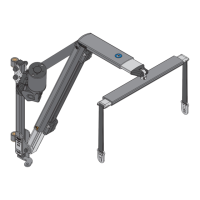
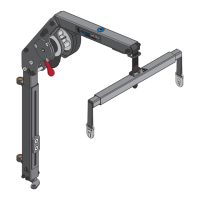
Details on the different boom types and their specifications.
Illustrated parts and Bill of Materials for 2-Way and 4-Way control systems.
Guidance on selecting mounting side and methods like A-Frame or Universal Post.
List of parts and illustrated components for the control box bracket.
Step-by-step instructions for fitting the control box bracket to the A-Frame.
Instructions for fitting the control box bracket to the vehicle's interior trim.
Description of positioning options for the 2-Way control box.
Description of positioning options for the 4-Way control box.
Diagrams illustrating wiring connections for 2-Way and 4-Way control boxes.
Procedure for hardwiring the control box to the vehicle's battery.
Diagram showing how to connect the motor to the control box.
Procedure for connecting the handset to the control box.
Details on actuator brackets for A-Frame and Universal Post mounting.
Illustrations showing how to fit the actuator onto an A-Frame or Universal Post.
Diagram showing the connection for the 4-Way version of the IN/OUT actuator.
Information on mounting the motor on the right or left side of the hoist.
Step-by-step guide to disassembling and reassembling components to change motor side.
Instructions for reversing the spool direction after changing the motor side.
Details on maximum and minimum settings for fixed and folding hoists.
Procedure for adjusting the vertical boom extension.
Procedure for adjusting the horizontal boom extension.
Instructions for attaching, adjusting width, and setting straps for the spreader bar.
Overview of handset buttons and their functions for 2-Way and 4-Way systems.
Explanation of Overcurrent Protection, Auto Shut Down, and other operational behaviors.
Information on the service light indicator and the procedure to reset the service counter.
Steps to enter installer mode and select L-M mode for the control box.
Procedure for testing the setup and checking the center of balance.
Procedure to set a custom current limit if Overcurrent Protection is triggered.
Instructions for exiting installer mode and resetting the custom current.
Review of fixed and folding hoist settings to ensure they are not exceeded.
Guidance on demonstrating operation and filling out setup details for customer records.
 General
| Product Name | AUTOCHAIR Smart Lifter L-M |
|---|---|
| Category | Automobile Accessories |
| Material | Steel |
| Installation | Professional installation recommended |
| Color | Black |
| Package Contents | User manual |
| Compatibility | Most car seats with standard rails |

 To Next Page