EasyManua.ls Logo

AutoCrib IntelliPort - User Manual

AutoCrib IntelliPort
84 pages
Print Icon
To Next Page IconTo Next Page
Loading...
P a g e 1 | 84
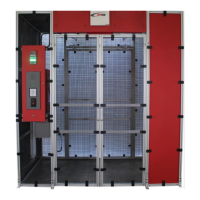
IntelliPort & IntelliPort Lite Platinum
Operations Manual
(Last Revision September 2019)
Phone: 1-800-671-6501
AutoCribSupport.com
2882 Dow Avenue Tustin, CA 92780
Question and Answer IconNeed help?

Do you have a question about the AutoCrib IntelliPort and is the answer not in the manual?

Summary

Limited Express Warranty

Machine General Description & Features

Cautions

Voltage and Polarity Check

Verifying voltage and polarity before connecting the machine to a wall outlet.

Before Installing the IntelliPort

RFID Site Survey

Conducting a site survey to identify and prevent wireless interference.

Installation - Standard IntelliPort

Equipment Supplied for Standard IntelliPort

List of equipment provided with the Standard IntelliPort unit.

Tools Needed for Standard IntelliPort Installation

List of tools required to install the Standard IntelliPort.

Initial Placement & Installation for Standard IntelliPort

Steps for the initial placement and installation of the IntelliPort.

Installation - IntelliPort Lite

Equipment Supplied for IntelliPort Lite

List of equipment provided with the IntelliPort Lite unit.

Tools Needed for IntelliPort Lite Installation

List of tools required to install the IntelliPort Lite.

Initial Placement and Installation for IntelliPort Lite

Steps for the initial placement and installation of the IntelliPort Lite.

Setting up the IntelliPort Lite for use

Management Station Installation

Instructions for installing the management station software and connecting it.

Restore the Database

Steps to restore the AutoCrib database on the management station.

IntelliPort Configuration

Commonly Performed Procedures - Hardware and Software

Exiting the Intelliport Software

Steps to exit the Intelliport software and access the Windows desktop.

Assigning Items to RFID Tags and Bins

Restocking Using the Automatic Tag Method

Issuing an item from the Intelliport

Returning an Item to the Intelliport

Locate function

Wrong Employee Function

Maintain (Update RFID Reader and Antenna Settings)

RFID Printer Settings for Zebra RZ400

Illustrated Parts List

Standard Intelliport Parts

Illustrated list of parts for the Standard Intelliport.

Appendix

Reprinting a Bad RFID Tag

Steps to delete and reassign an RFID tag number in the AutoCrib software.

Deleting an RFID Tag

Procedure to remove an RFID tag number from the AutoCrib system.

Recycling RFID Tags

Guidelines and process for recycling RFID tags in the AutoCrib system.

AutoCrib IntelliPort Specifications

General IconGeneral
BrandAutoCrib
ModelIntelliPort
CategoryLifting Systems
LanguageEnglish