Getting Started - Initial Setup of Head Unit
• On rst install, the AutoDAB controller will default to transmitting on 87.8MHz. Tune the car radio to this frequency.
• The car radio will display ‘AutoDAB’ and the audio message ‘Scanning AutoDAB, please wait’ will be heard.
• The audio message repeats every 5 seconds.
• Choose a preset on the car radio and store the AutoDAB frequency to it.
What’s in the pack?
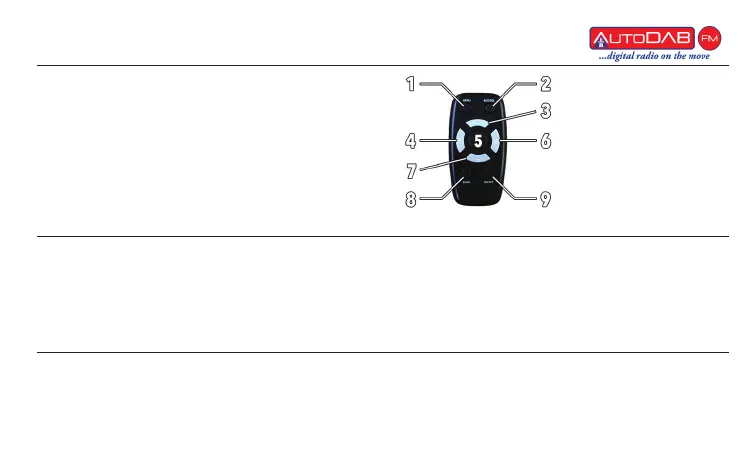
Remote Key:
1 - Menu 6 - Station Right
2 - Add/Delete 7 - Pre-set Down
3 - Pre-set Up 8 - Scan
4 - Station Left 9 - On/Off
5 - OK
Pairing a Remote
• To pair remote press ‘Menu’ and ‘On/Off’ together for two seconds. A short beep will be heard conrming
your device has beevn paired.
• Next press ‘Menu’ to start the digital radio. After a short delay the car radio will display the rst available
digital radio station found e.g. Absolute



 To Next Page