11
Programmable Logic Controller (PLC) Tools
AutoCAD Electrical includes a set of tools specifically designed
to increase your productivity and accuracy when working with
PLC I/O drawings.
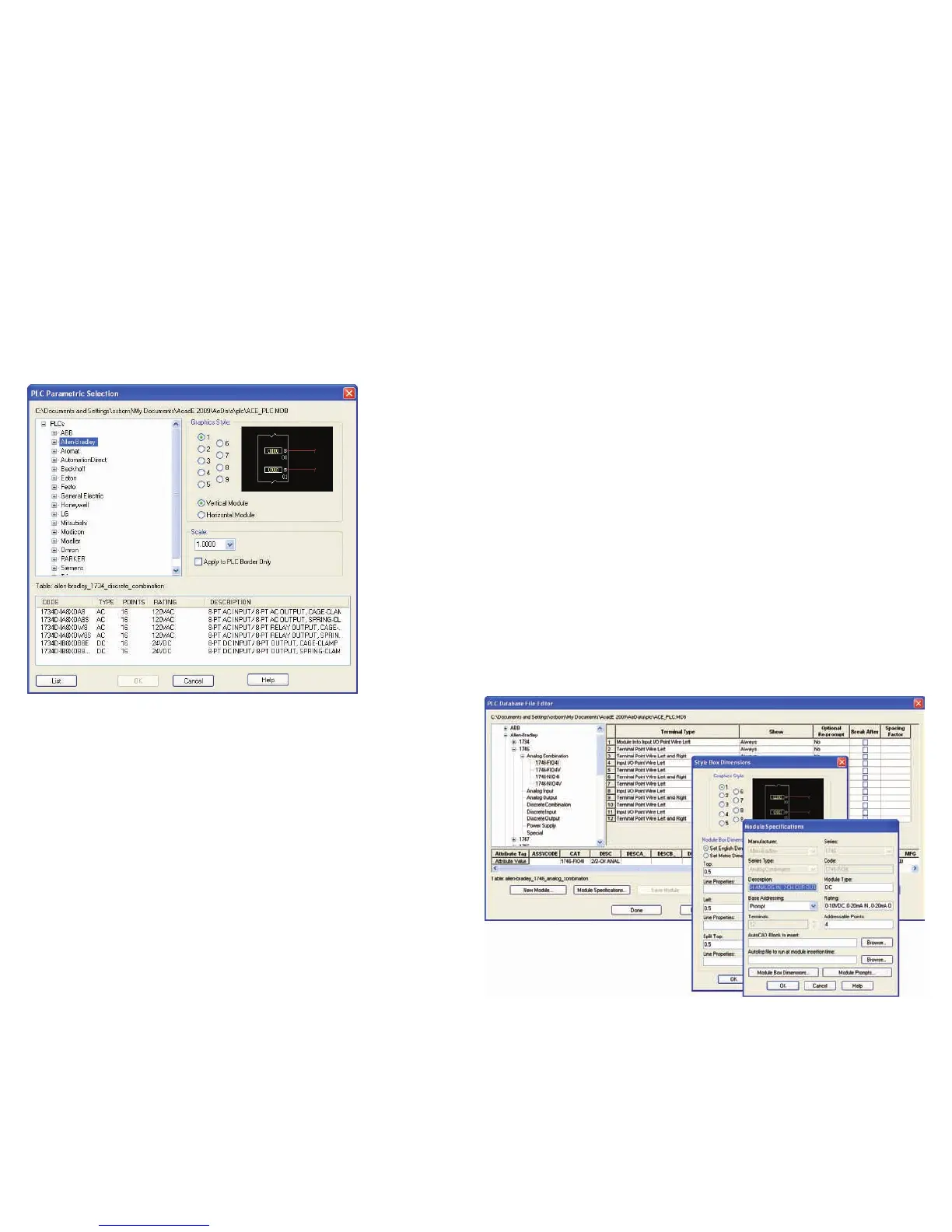
PLC I/O Libraries
Quickly create PLC I/O drawings by selecting from a
library of more than 3,000 intelligent PLC I/O mod-
ules from the industry’s most popular vendors.
PLC I/O Import/Export
Export critical I/O address and description infor-
mation into multiple file formats. Exchange data
bi-directionally between AutoCAD Electrical and
Rockwell Automation’s PLC programming software or
Schneider Electric’s Unity™ software products. Reus-
ing crucial design data between AutoCAD Electrical
and the corresponding PLC program helps you reduce
design time and minimize errors.
Automatically Create PLC/IO Drawings from
Spreadsheets
Generate a complete set of PLC I/O drawings
simply by defining the project’s I/O assignments in
a spreadsheet program. This capability can save you
a tremendous amount of design time by virtually
eliminating the need to create those drawings in an
AutoCAD
®
environment.
Once the drawings have been created, easily export
the I/O information and descriptions to a format
that most PLC programming software packages can
read. The PLC programmer won’t need to recreate
addresses and their descriptions. Then import the
descriptions on each PLC I/O point into your PLC pro-
gram to maintain consistency between your drawings
and your PLC program.
PLC Module Builder
The PLC module builder makes it easy to add PLC I/O
modules to the standard library. If desired modules
are not included in the currently library, you can
simply add them through a graphical interface.



 To Next Page