- 9 -
CHARGING INDICTION
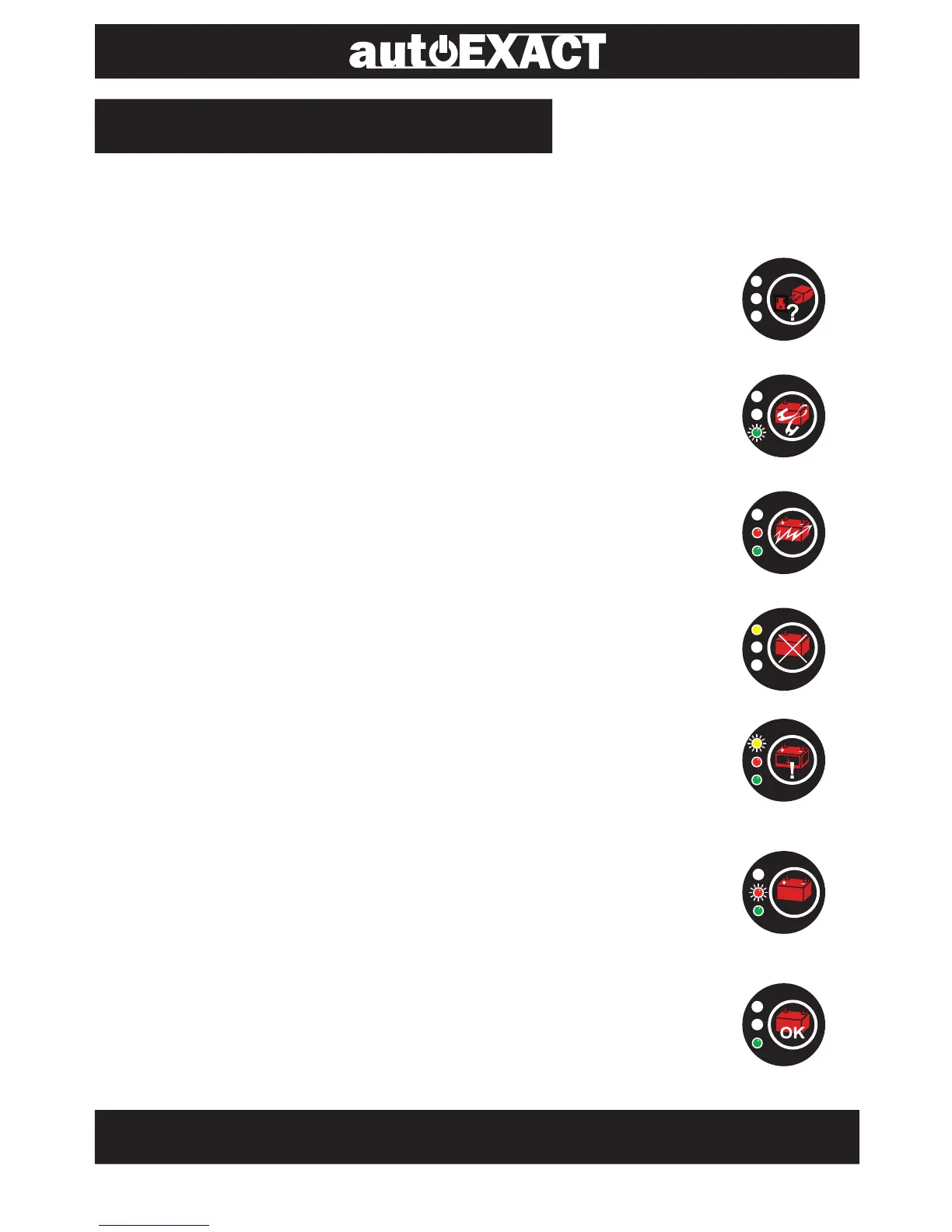
When the charger is being used, it shows LED lights as follows,
indicating the status of the charging.
NO AC Power (all lights off)
There is no AC power applied. Check the AC end.
STAND BY (green blinking only)
The clamps are not connected to battery properly.
CHARGING (green & red lit)
The charger is charging the battery.
DEFECTIVE BATTERY (yellow lit only)
The battery cannot hold a charge. Immediate
replacement is recommended.
DEEPLY DISCHARGED BATTERY (yellow blinking,
green & red lit)
It takes more time to charge a deeply discharged battery.
Replace the battery if the charger keeps indicating this stage.
75% CHARGED (green lit & red light blinking)
The battery is 75% charged and ready for load test or can
be returned to serve.
FULLY CHARGED (green lit only)
The battery is fully charged. The charger will shift to the
maintenance mold.
75%



 To Next Page