EasyManua.ls Logo

Autogrow IntelliDose - User Manual

Autogrow IntelliDose
34 pages
Print Icon
To Next Page IconTo Next Page
Loading...
©2017 Autogrow Systems Ltd V5.4
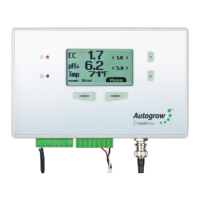
IntelliDose
Installation and User Guide
• Doses up to 9 parts of nutrient, additives and pH
• Measures Conductivity, pH, Temperature
• Displays EC, CF, TDS,
o
C,
o
F, pH
• USB – PC/Mac Interface (USB cable supplied)
• Variable ratios for nutrient part (change from vegetative to generative)
• Auto schedule of nutrient ratios and EC’s
• Proportional Dosing (for rapid dosing between irrigations)
• Direct drive dosing pumps (keeps costs down)
• Irrigation with day/night control – precision timer
• Day/Night EC levels
• Water level control – to lower EC
Question and Answer IconNeed help?

Do you have a question about the Autogrow IntelliDose and is the answer not in the manual?

Summary

Section A - Introduction to the IntelliDose Hydroponic doser

Mixing nutrients

Important guidelines for diluting nutrient stock solutions for accurate dosing.

Section B - Settings

B1 - Setting from the PC;Mac

Step-by-step guide to configuring the IntelliDose via a computer interface.

Configuration Parameters

Detailed setup options including dawn/dusk, nutrient parts, pH, EC, and irrigation.

B2 - Setting from the controller key pad

Section C - Settings for simple 1 or 2 part doser

Calibrate EC sensor

Procedure for cleaning and calibrating the EC sensor.

Section H - Software installation

Section J - Fault finding

Common Unit Faults

Troubleshooting steps for issues like no power, calibration failures, and incorrect dosing.

Section K - Specification

Section L - Advanced Irrigation Features

Autogrow IntelliDose Specifications

General IconGeneral
BrandAutogrow
ModelIntelliDose
CategoryLawn and Garden Equipment
LanguageEnglish