EasyManua.ls Logo

AutoLoc AUTMOTORCT2 - User Manual

AutoLoc AUTMOTORCT2
2 pages
Print Icon
To Next Page IconTo Next Page
Loading...
©2009 The Hoffman Group L.L.C. All rights reserved. AUTMOTORCT - 1 of 2 Revised 2/17/09
The above instructions are for reference only. THG LLC is not responsible for any inaccuracies in the above instructions. THG LLC is also not responsible for any property damage or personal injuries resulting from the above
instructions. Installation by qualified automotive professionals is highly recommended.
OPTIONAL ACCESSORIES
SWITCH REMOTE KIT LINEAR ACUATOR
AutoLoc's quality switches are
compatible with any type of
installation. Durable construction
and corrosion resistant contacts
ensure a long life of smooth
operation.
YOU WANT EXTREME POWER?
The AutoLoc linear
actuators are the ultimate accessory for installing power-
operated hoods, trunks, amp racks, tonneau covers, or any
other heavy-duty application.
From one of our
four button remotes you
can roll your windows up and
down, unlock and lock your
doors, trunk, or hood, open/close
your sunroof, remote start, turn on
your headlights, neon, or dome
light, alarm, operate your stereo,
or anything else you can think of.
Please call for details.
Program up
Press and hold the learn up button until the Red LED indicator lights up.
Press and hold a trigger button (1 - 8) for the desired amount of run time
to program the up travel distance. To stop programming, simply let go of
the trigger button. The up run time travel distance has now been
learned.
Note: Programming mode will exit after 5 seconds if no trigger buttons
are learned. A maximum of two minutes is allowed per input trigger.
Program down
Press and hold the learn down button until the Green LED indicator lights
up. Press and hold a trigger button (1 - 8) for the desired amount of run
time to program the down travel distance. To stop programming, simply
let go of the trigger button. The down run time travel distance has now
been learned.
Note: Programming mode will exit after 5 seconds if no trigger buttons
are learned. A maximum of two minutes is allowed per input trigger.
Program up/down (using one trigger button)
Press and hold the learn down button and the learn up button at the
same time until both indicator LED's light up (Red & Green). Press and
hold a trigger button (outputs 1 - 8) for the desired amount of run time to
program the up travel distance. To stop programming, simply let go of
the trigger button. After releasing the trigger button, the down run time
travel distance will be learned automatically. This will have the same
travel distance as the up run time. The up and down run time travel
distance has now been learned.
Note: Programming mode will exit after 5 seconds if no trigger buttons
are learned. A maximum of two minutes is allowed per input trigger.
Reset Mode
To reset the program module simply press the reset button. This will
erase the memory setting for all buttons.
Jumpers settings
Jumper 4 can be set to either 6amp or 10amp depending on how much
amperage is needed.
Sensitivity adjustment
Remove cover plate to access the adjustment screw. Use a small flathead
screw driver to adjust the load sensitivity. Turn clockwise to increase
sensitivity, turn counter clockwise to decrease sensitivity. This adjustment
will allow the motor to stop if there is an obstruction.
CAUTION: Do not overturn Sensitivity Adjustment Screw or damage
could result to the MotorCT unit.
1
2
3
6
5
4
AUTMOTORCT2 - 2 Channel
AUTMOTORCT4 - 4 Channel
AUTMOTORCT6 - 6 Channel
AUTMOTORCT8 - 8 Channel
IMPORTANT: The below instructions
are referring to an installation using
optional momentary push buttons (part
number S15). If you are installing this unit
using the optional remote control, then
connect the receivers negative(-) outputs to the
MotorCT modules negative(-) inputs(1-8).
If you need to use the optional push buttons or
optional remote control kit, please contact your sales
rep or visit our web site for secure online ordering.
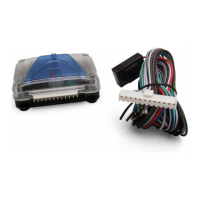
MOTOR CONTROL MODULE
WWW.AUTOLOC.COMTECH SUPPORT: 503.693.1918
programmable motor control

Question and Answer IconNeed help?

Do you have a question about the AutoLoc AUTMOTORCT2 and is the answer not in the manual?

Overview

The AutoLoc Motor Control Module is a programmable motor control unit designed for various applications, available in 2, 4, 6, and 8 channel configurations (AUTMOTORCT2, AUTMOTORCT4, AUTMOTORCT6, AUTMOTORCT8 respectively). This module allows users to precisely control the up and down travel distances of motors, making it suitable for power-operated hoods, trunks, amp racks, tonneau covers, and other heavy-duty applications.

Function Description:

The core function of the Motor Control Module is to provide programmable control over motor movement. It achieves this by allowing users to "learn" specific up and down travel distances for each connected motor channel. This learning process involves pressing and holding designated "learn" buttons and then activating a trigger button for the desired duration of motor movement. Once programmed, the module can then replicate these learned movements consistently.

The module supports two primary programming methods:

  1. Separate Up and Down Programming: Users can program the "up" travel distance independently using a dedicated "learn up" button and a trigger. Similarly, the "down" travel distance can be programmed using a "learn down" button and a trigger. This method provides granular control over each direction of travel.
  2. Combined Up/Down Programming: For applications where the up and down travel distances are intended to be identical, the module offers a simplified programming method. By pressing both "learn up" and "learn down" buttons simultaneously, and then activating a trigger for the desired "up" travel, the module automatically learns the same distance for the "down" travel. This streamlines the setup process for symmetrical movements.

The module also features a "Reset Mode," which allows users to erase all programmed memory settings for all buttons, effectively returning the unit to its factory default state.

Important Technical Specifications:

  • Channels: Available in 2, 4, 6, and 8 channel versions.
  • Amperage Settings: The module includes a jumper (Jumper 4) that can be configured for either 6 amp or 10 amp operation, depending on the power requirements of the connected motors. This flexibility ensures compatibility with a range of motor types and power demands.
  • Power Input: The module requires a 12V power supply, typically from a car battery.
  • Fuse: An in-line 15 Amp fuse is recommended for the main power input to protect the module and the electrical system.
  • Diode: The wiring diagram indicates the use of a 1 or 2 amp diode in the power circuit, likely for protection against reverse current or voltage spikes.
  • LED Indicators: The module incorporates Red and Green LED indicators to provide visual feedback during programming and operation. The Red LED typically indicates "learn up" mode, while the Green LED indicates "learn down" mode. Both LEDs light up during combined up/down programming.
  • Input Triggers: The module is designed to work with momentary push buttons (part number S15) or an optional remote control kit. When using a remote control, the receiver's negative outputs connect to the MotorCT module's negative inputs (1-8). If both remote control and momentary buttons are used on the same trigger inputs, diode isolation is required for the negative outputs from the remote control system.

Usage Features:

  • Programmable Travel Distances: The primary usage feature is the ability to program precise up and down travel distances for each motor channel. This allows for customized and repeatable motor movements.
  • Flexible Programming Methods: Users can choose between separate up/down programming or combined up/down programming based on their application needs.
  • Remote Control Compatibility: The module is fully compatible with AutoLoc's optional remote control kits (e.g., AUTKL550, AUTKL600, AUTKL700, AUTKL1000, AUTKL1600, AUTKL1800), allowing for wireless operation of the connected motors. These remote controls can also be used for other functions like unlocking doors, opening trunks, or activating lights.
  • Momentary Push Button Compatibility: For wired control, the module supports optional momentary push buttons, providing a direct and reliable interface.
  • Sensitivity Adjustment: A crucial usage feature is the adjustable load sensitivity. This allows users to fine-tune how the motor responds to obstructions. By removing the cover plate and using a small flathead screwdriver, the sensitivity can be increased (clockwise) or decreased (counter-clockwise). This feature enables the motor to stop automatically if it encounters an obstruction, preventing damage to the motor or the controlled mechanism.
  • Visual Feedback: The Red and Green LEDs provide clear visual cues during programming, indicating the current mode and status of the module.
  • Maximum Programming Time: During programming, a maximum of two minutes is allowed per input trigger. If no trigger buttons are learned within five seconds, the programming mode will automatically exit.

Maintenance Features:

  • Reset Function: The dedicated reset button simplifies troubleshooting and reprogramming by allowing users to quickly clear all learned settings and start fresh. This is particularly useful if programming errors occur or if the application requirements change.
  • Adjustable Sensitivity: While primarily a usage feature, the adjustable sensitivity also contributes to maintenance by protecting the motor from damage due to obstructions. Properly setting the sensitivity can extend the lifespan of the motor and the controlled mechanism by preventing excessive strain.
  • Fuse Protection: The recommended 15 Amp fuse on the main power input acts as a critical safety and maintenance feature, protecting the module and the vehicle's electrical system from overcurrents. In case of an electrical fault, the fuse will blow, preventing more severe damage.
  • Durable Construction (Optional Accessories): While not directly a feature of the module itself, the manual highlights AutoLoc's optional switches, which are described as having "durable construction and corrosion resistant contacts," ensuring a long life of smooth operation. This suggests an overall emphasis on durability within the AutoLoc product line, which indirectly contributes to reduced maintenance needs for the entire system.
  • Professional Installation Recommendation: The manual strongly recommends installation by qualified automotive professionals. This is a key "maintenance" recommendation, as proper initial installation significantly reduces the likelihood of future issues, failures, and the need for corrective maintenance.

In summary, the AutoLoc Motor Control Module is a versatile and user-friendly device for controlling motor movements, offering precise programming, flexible control options (wired or wireless), and important safety features like adjustable sensitivity and fuse protection. Its design caters to both ease of use and long-term reliability in various automotive and heavy-duty applications.

AutoLoc AUTMOTORCT2 Specifications

General IconGeneral
BrandAutoLoc
ModelAUTMOTORCT2
CategoryController
LanguageEnglish