EasyManua.ls Logo

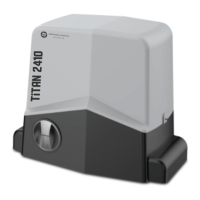
Automation Systems AUSTRALIA TiTAN 2410 - User Manual

Automation Systems AUSTRALIA TiTAN 2410
29 pages
Print Icon
To Next Page IconTo Next Page
Loading...
Titan 2410
Advanced Digital Sliding Gate System
REV 0
Step by Step Simple Installation
Guide on Page 2
Automation Systems
Australia
Question and Answer IconNeed help?

Do you have a question about the Automation Systems AUSTRALIA TiTAN 2410 and is the answer not in the manual?

Summary

Typical Tools Required

Specifications

Dimensions

Step by Step Installation Guide

Manual Release

Procedure to disengage the gate motor clutch for manual operation.

Installation Layout

Motor Installation

Opening Direction and Mounting

Identifies gate opening direction and base plate positioning.

Drilling and Base Plate

Details on drilling holes and securing the base plate.

Motor to Base Plate

Steps to attach the motor to the installed base plate.

Motor Installation Steps Continued

Gear Rack Installation and Adjustment

Guides on fitting and adjusting the gear rack.

Striker Plate and Final Checks

Instructions for fitting striker plates and final checks.

Controller Layout

Display Screen Status

CERO Standalone Solar System Connection

Battery Backup Connection

Multi Output Toroidal Transformer

Specifics on using an internal toroidal transformer.

Outdoor Low Voltage Weatherproof Transformer

Specifics on using an external weatherproof transformer.

SPEED Slow Speed;De-acceleration Adjustment

TIME Slow Down Position Adjustment

SENS Obstruction;Overcurrent Adjustment

System Menu Hierarchy

Basic Menu

Operating Logic Options

Explains different system operating logic settings.

Basic Menu Features

Remote and Wireless Keypad Learning;Deleting

Procedure for enrolling and removing remotes/keypads.

Automatic Closing Time

Setting the gate's automatic closing duration.

Learn Working Times

Procedure for setting gate operational times.

Motor Test

Guide for testing motor functionality.

Core Menu

Working Time and Gate Direction Configuration

Setting operational times and gate opening direction.

Core Menu Features

Soft Start and Disabled Features

Configuring soft start and disabling features.

Core Menu Outputs

Output and System Modes (Light, Auxiliary, Receiver, Depot)

Configuring light outputs, receiver modes, and depot operation.

Factory Default Settings

Restoring the system to factory default settings.

Remote Learning

C1 Command Learning

Enrolling a C1 command remote.

C2 Command Learning

Enrolling a C2 command remote.

C3 Driveway Light Learning

Enrolling a remote for driveway light control.

C4 Remote STOP command Learning

Enrolling a remote for stop command.

Remote Deletion

Delete by remote button

Removing a remote using its button.

Delete by enrollment number

Removing a remote via its enrollment number.

Delete entire memory

Formatting to remove all enrolled remotes.

Remote Usage

Identify Enrollment Number

Wireless Keypad Learning

Operation Command Learning

Pairing keypads for gate operation commands.

Pedestrian Gate Learning

Pairing keypads for pedestrian access.

Setting the Automatic Close Timer

Motor Test Mode

Learn Time Calibration

DUKIE and DUKIE+ Photocells

Typical Photocell Arrangement

Diagram showing standard photocell wiring.

Special Detector Mode; Photostop

Traffic Light Control

Driveway Light Control

Alert Strobe Illumination

Warning Light Output

Tekno Wi-Fi APP Switch

Loop Detector (12 Volt Version)

Tekno K1 Wired Keypad

Tekno 4 GSM Intercom

Digital Weekly Timer (12 Volt Version)

Push Button

Emergency Stop Button

Amplify Booster Antenna

Remote Enrollment Number

Warranty Terms and Conditions

Automation Systems AUSTRALIA TiTAN 2410 Specifications

General IconGeneral
BrandAutomation Systems AUSTRALIA
ModelTiTAN 2410
CategoryGarage Door Opener
LanguageEnglish