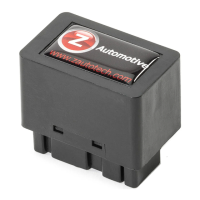
The Z Automotive Tazer JL Mini is an electronic plug-in device designed to modify vehicle settings and enable live functions for 2018-2020 Jeep Wrangler JL and 2020 Jeep Gladiator JT models. It connects to the vehicle's SGW module, located above the OBD2 diagnostic connector.
Function Description:
The Tazer JL Mini offers two main categories of features: Vehicle Settings and Live Functions.
- Vehicle Settings: These are permanent changes made to the Jeep's computer, such as tire size, gear ratios, or enabling/disabling certain features. These modifications remain active even after the Tazer JL Mini is unplugged.
- Live Functions: These are operations performed by the Tazer JL Mini only while it is physically connected to the vehicle. They provide real-time control and activation of various features.
Important Technical Specifications:
- Firmware: The device operates with firmware version 11.2.0-031220 (as of the manual's publication). Firmware updates are available periodically and can be installed via USB using the ZPU (Z Automotive Programming Utility) software.
- Connectivity: Plugs into the SGW module, which is located above the OBD2 diagnostic connector.
- Power Management: The Tazer JL Mini enters a sleep mode approximately 30 seconds after the Jeep shuts down.
- USB Cable: Uses a common "USB Mini B" data/charging cable for configuration and firmware updates.
Usage Features:
To access the settings menu, the EVIC screen must be showing the AUDIO screen. Then, press and hold the steering wheel LEFT ARROW and tap the Cruise “CANCEL” button. Pressing LEFT ARROW and CANCEL advances through menu items. To change/select a setting, press and hold LEFT ARROW and tap the Cruise "ON/OFF” (center) button. To exit quickly and safely, hold LEFT ARROW and press the Cruise "RES" button. After making changes, a "full reboot?" must be selected, which takes 2.5 minutes. Some settings require two sleep/wake cycles.
- Submenu Performance:
- Set Tire Size: Calibrates for different tire sizes (using left arrow and cruise +/- buttons).
- Set Gear Ratio: Calibrates for axle gear ratio (using left arrow and cruise +/- buttons).
- Set Transfer Case LOW ratio: Calibrates for 4LOW gear ratio (using left arrow and cruise +/- buttons).
- Submenu Tire:
- Set TPMS: Turns the tire pressure monitoring system on or off.
- Set Tire Pressures Front/Rear: Changes TPMS warning limits (25psi to 85psi). The car's computer recognizes a minimum of 25psi.
- Submenu Radio:
- Set Backup Camera: Disables the backup camera if the factory unit is deleted.
- Set Cargo Cam: Enables the "cargo cam" selector on the "controls" screen (8.4 UConnect only), useful for front cameras.
- Set DVD_CD: Adds CD (wired audio) input on the UAQ radio for auxiliary input.
- Set Travel Link: Disables SiriusXM Travel Link and Traffic information.
- Submenu Lighting:
- Set DRL Type: Chooses DRL region (USA, Canada, or off).
- Set DRL Location: Selects which lights function as DRLs (Dedicated DRL, SRT DRL's, Turns, Fogs, Hi beams, Low beams).
- Set DRL Dropout: Controls whether DRLs turn off with turn signals (enabled by default).
- Set Fog Lights Enable: Enables factory fog lights if added.
- Set Fog Dropout: Controls whether fogs turn off with high beams (enabled by default).
- One-touch: Enables one-touch lane change.
- Set Halo Enable: Enables/disables factory halo lights.
- Set LED Headlights: Configures for LED headlights.
- Set LED Fogs: Configures for LED fog lights.
- Set LED Tails: Configures for LED taillights. Switching to NO then back to YES can clear bulb out and hyperflash issues with aftermarket LED tails.
- Taillight Type: Reconfigures taillight type for overseas conversions.
- Set LED Front Turn: Configures for LED front turn signals. Similar to LED Tails, switching to NO then back to YES can clear bulb out and hyperflash. After configuration, a few 5-minute sleep cycles and running turn signals for 20 seconds each are recommended.
- Set Trailer Tow: Configures for MOPAR trailer towing wiring kit.
- Submenu Off-Road:
- Set Sway Bar: Deletes warnings if the electronic sway bar is removed. Allows driving with the sway bar disconnected at any speed or 4WD range.
- Set EPSteer: Used if the factory electronic steering pump is replaced with a hydraulic pump.
- Set LOCKER: Deletes factory axle lockers (front only, or both). Deleting the front locker also deletes the front axle disconnect.
- Set Front Axle Disconnect: Deletes the factory Front Axle Disconnect for axle swaps, used in conjunction with the Locker setting.
- DTCM: Declares the presence of a Drive Train Control Module (Rubicon Transfer Case).
- Submenu Other:
- Set AUX: Configures for AUX button package.
- Set Blind Spot: Configures for blind spot detection package.
- Set Belt ding: Deletes the seat belt reminder chime (icon remains).
- Set ParkSense: Changes or disables the ParkSense system (None, Sahara, Rubicon options).
- Set Splash: Chooses the cluster splash screen (Wrangler: Sport, Sahara, Rubicon; Gladiator: Sport, SportX, Rubicon).
- Set DualZone: Allows use of single or dual zone center stack button assembly, useful for radio upgrades.
- Set Auto Headlights: Enables the factory automatic headlight assembly.
- Set Panic: Controls whether the PANIC button on keyfobs is enabled, required for the Hood Alarm feature.
- Firmware Version Display: Shows current Tazer JL Mini firmware revision.
- Serial Number Display: Shows the device's serial number.
- Unmarry Key: Displays a one-time use key for unmarrying the device.
- Full Reboot: Resets vehicle modules and the Uconnect system twice (takes 2.5 minutes). Should be performed after any Vehicle Settings changes.
Live Functions (Accessed while engine is RUNNING):
Activated with the same button presses as the Settings Menu. AutoSport, Trac Kill, and StMode are enabled after initial setup.
- Light Show: Activates pre-programmed and custom light shows. Can be toggled through 9 shows.
- Set In-Motion Nav: Allows address entry into the navigation system while moving (for passenger use). Can cause occasional radio reboots. Automatically disabled if TurnCAM is enabled.
- TurnCAM: Automatically turns on the backup camera with turn signals (disables In-motion nav).
- Hood Alarm: Turns hood alarm on/off (requires Set Panic to be enabled).
- Dark Mode: Turns off all exterior, dash, radio, and shifter lights while parked with the engine running.
- Video: Turns on backup camera input.
- VAC or BOOST: Displays Vacuum/Boost Gauge on the EVIC.
- 0-30 Timer: Starts a timer when the vehicle begins moving, displaying time to 30MPH.
- 0-60 Timer: Starts a timer when the vehicle begins moving, displaying time to 60MPH.
- Winch RPM: Adjusts Winch Mode RPMs (1300-2000RPM) using left arrow and cruise +/- buttons.
- Display Tazer JL Mini Firmware Revision: Displays the device's current firmware version.
- Light Shows (Keyfob/Dash Menu):
- Keyfob: Unlock-unlock-lock-unlock sequence starts the first show. Unlock advances, lock turns off.
- Dash Menu: Set dash to "Audio," press left arrow and tap cruise CANC. "Lightshow?" displays. Hold left arrow and tap cruise on/off to start.
- Start/Stop Kill: Remembers the last state of the auto stop/start system.
- Traction Kill: Remembers the last state of the traction control system.
- Sway Bar in 2WD: Pressing the Sway bar button in 2WD disconnects/reconnects it. Reconnects automatically at 30MPH.
- Locker Control: Pressing REAR locker button in 2WD/4HI or FRONT/REAR button in 4HI (under 10mph) engages lockers. Locker OFF button disengages.
- Cooldown Mode: With ignition on, engine off, press right arrow and cruise cancel to turn engine fan on High. Turns off below 11V battery voltage.
- Winch Mode: With engine running, press left arrow and cruise RES to raise RPM to selected value.
- Hood Alarm: Arms the factory Vehicle Theft Alarm. If the hood is opened while armed, the alarm sounds and a light show activates. PANIC button on keyfob turns off alarm, LOCK button turns off light show.
- Line Lock: In 2WD, press and hold left arrow and cruise set(+), pump brakes twice. Holds front brakes for burnout. "LineLock" displayed.
- Rock Crawl: Press and hold left arrow and cruise set(-), pump brakes twice. Holds all four brakes. "RockCrawl" displayed.
- Full traction control disable: Press and hold traction button for 5 seconds to disable TC and ABS. Restart Jeep to re-enable.
- Force Backup camera: Double tap the "mute" button to switch to backup camera (8.4" and 7" only).
- Button Remap: Assigns "hotkeys" to cruise +/-/RES buttons for quick access to Tazer functions (Light shows, backup cameras, Line Lock, Rock Crawl, TC Kill, Cooldown, Front/Rear/Front+Rear Lockers, SwayKill). Works when Cruise Control is OFF.
- Partial Reboot: Press left arrow and cruise RES with ignition set to RUN (engine off) to reset PCM, RF Hub, Instrument cluster, ABS, BCM.
Configuration:
The Tazer JL Mini is configured using the ZPU (Z Automotive Programming Utility) software on a PC or Mac, connected via the supplied USB Mini B cable. This utility is also used for firmware updates and configuring light show options.
Unmarry Key:
When "Unmarry" is selected from the Tazer menu, all settings revert to their original state. If a "Not VIN XXXX" error occurs (e.g., second-hand device, lost vehicle access), an "Unmarry Key" can be purchased from the Z Automotive website after obtaining the key from the Tazer's EVIC menu. The key is entered using the EVIC menu (Left Arrow + Cruise+/-).
Maintenance Features:
- Firmware Updates: New firmware is released periodically and is free. It can be installed using the ZPU (Z Automotive Programming Utility) via a USB connection.
- Unmarrying: The Tazer JL Mini should be "Unmarried" and removed from the vehicle before dealer service to prevent potential issues or warranty concerns.
- Troubleshooting: The manual provides a troubleshooting guide for common issues like "No menu in EVIC," settings not taking effect, "service AWD" errors, ESS errors, hyperflashing turn signals, and security light issues. Solutions often involve sleep/wake cycles, radio reboots, or specific re-learn procedures.


 To Next Page
 General