2. Network and Software Conguration
Download the Mirage Media Controller App.
The Mirage Audio System integrates with most major
home control systems. Control modules are available at:
www.autonomic-controls.com/support_downloads.php
Control Options
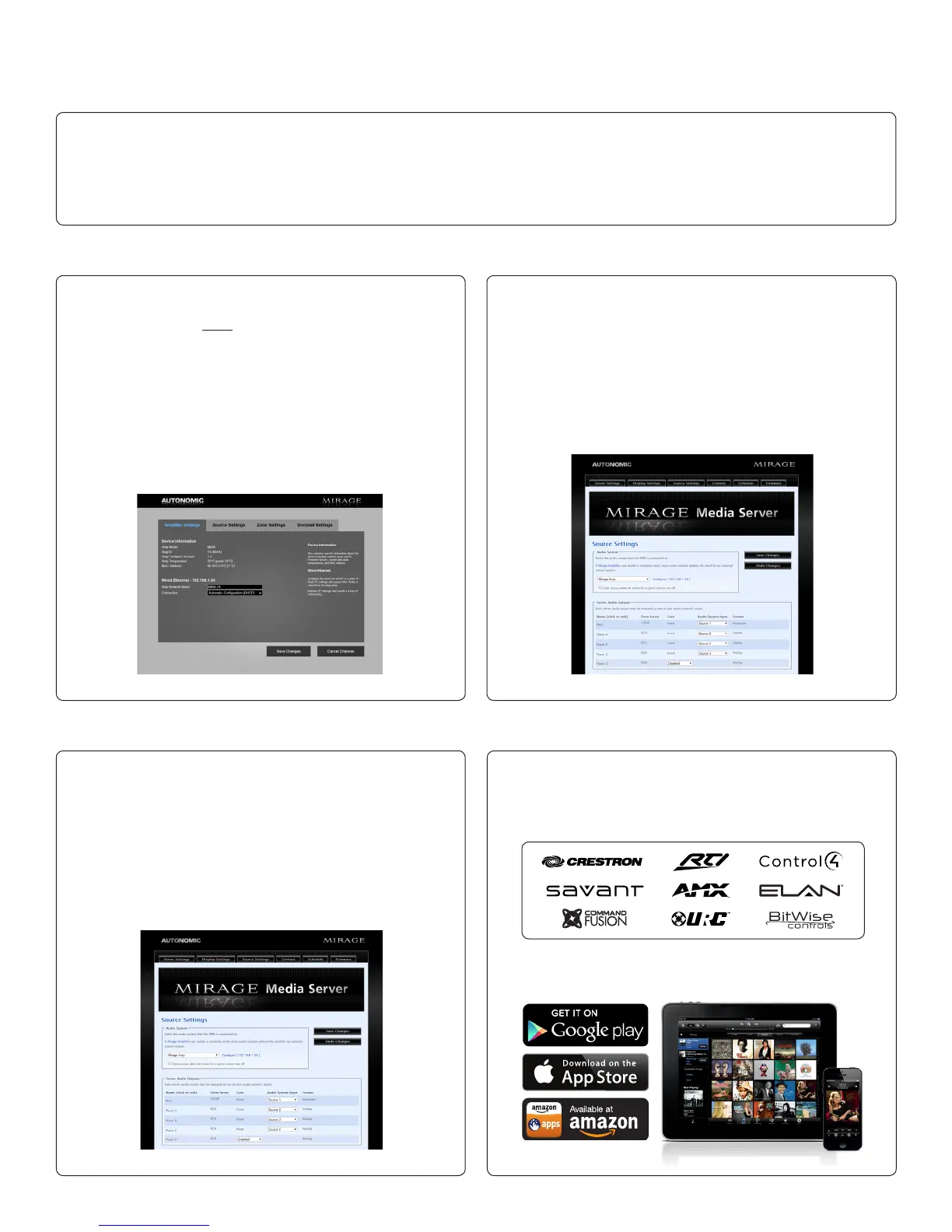
a. Connect to the Server at: http://<server-ip or network name>/
cong/. If using an MMS-5A, the default network name is
MIRAGE-1. If using an MMS-2A, the default network name
is MMS-2. For example, http://MMS-2/cong. If the default
name does not work, you may have to use the IP address
c. Once all devices have set IP addresses, navigate to the
server’s Source Settings tab, found on the server’s web
conguration. The server will auto-discover ampliers on
the same network and display them in the ‘Audio System’
drop-down menu.
d. Once the amplier has been selected, congure the
source mapping by selecting the amplier input from the
drop-down menu for each MMS output. This conguration
must match the physical conguration of the audio cables
from the Mirage Media Server to Mirage amp.
Connect to Mirage Web Conguration
Network Setup Conguring the Mirage Media Server & Amplier
Conguring the Mirage Media Server & Amplier
Refer to the Mirage Media Server Manual for step-by-step congura-
tion of the MMS Server.
If wired per diagram (g 4) default options can be accepted.
assigned to the server by your router instead. Both servers
display their IP address on their video output during boot.
NOTE: On some computers (especially Macs) you will
need to add the .local sufx to the end of the server
name. (example: http://Mirage-1.local/cong)
b. First, setup the IP address. For system stability, each
networked device must always remain at the same IP
address. We strongly recommend the use of DHCP
reservations based on MAC address. If reservations are not
possible, static IP addresses outside the DHCP range is the
next best option. Leaving the units on unreserved DHCP is
not supported as the server and the amp must be able to
reliably reach each other over IP and there is a chance for
one or the other to change IP addresses.
(g. 8) (g. 9)
(g. 10)


 To Next Page