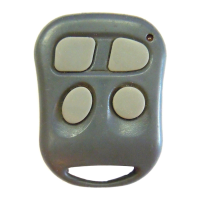
RF-1055KE
CUSTOMER SYSTEM OPERATIONS
1) ACTIVE LOCKING & UNLOCKING
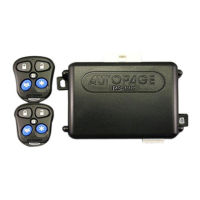
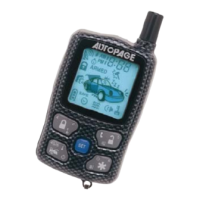
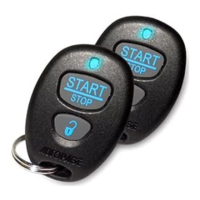
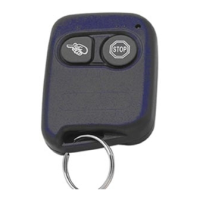
Active or Manual locking is activating the System by the Remote Control Transmitters.
(Interfacing the vehicles horn and starter interrupt circuit requires additional installation.)
Active locking is as follows…
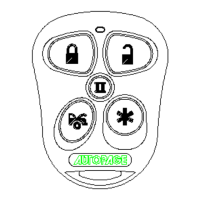
a) Press button 1 (lock) on the Remote Control Transmitter.
b) The horn will honk once, the parking lights will flash once & the doors will lock.
c) A steady flashing of the System LED will confirm locked status.
Unlocking is as follows…
a) Press button 2 (unlock) on the Remote Control Transmitter.
b) The horn will honk twice, the parking Lts. will flash twice & the doors will unlock.
c) The System LED will turn off indicating unlocked status.
2) PANIC FUNCTION
In the event of an emergency, the Remote Control Transmitter can be used to activate the
System Panic Mode. (Interfacing the vehicles horn to the System requires additional
installation.) Panic Mode operation is as follows…
a) Push and hold button 4 (horn) for more than 3 seconds.
b) The horn will begin honking and the vehicles parking lights will begin flashing.
3) CAR LOCATOR FUNCTION
To help locate your vehicle when out of sight our parked in a crowded parking lot.
(Interfacing the vehicles horn to the System requires additional installation.)
You can activate the Car Locator by:
a) Push button 3 (Car) 2 times.
b) The horn will sound chirping 6 times & the parking lights will flash 12 times.
4) VALET / OVERRIDE SWITCH
(The Valet / Override Switch has dual functions:)
Emergency Disarm (To dis-engage the optional starter interrupt circuit) – In the event the
Remote Control Transmitter malfunctions or is lost the System can still be disarmed.
Emergency Disarm is activated as follows…
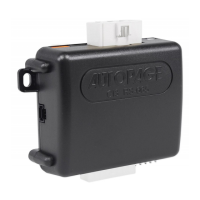
a) Turn the vehicles ignition to the “ON” position and press the Valet / Override
Switch once.
b) The System is now disarmed.
Valet Mode – In the event the vehicle needs to be serviced or valet parked, the System
can be programmed into a “Valet Mode” that will only allow the Remote Control
Transmitters to activate the door lock / unlock circuit. Programming Valet Mode is as
follows…
a) Turn the vehicles ignition to the “ON” position and push the Valet / Override
Switch for 2 seconds or until the System LED turns on solid. The System is now
in Valet mode.
b) To return the System to normal operation, turn the vehicles ignition “ON”
position and push the Valet / Override switch for 2 seconds or until the System
LED turns off. The System has resumed normal operation.
5) IGNITION CONTROLLED DOOR LOCKS
When the vehicles ignition is turned “ON” the door will automatically lock and when the
vehicles ignition is turned “OFF” the doors will automatically unlock. (Please refer to
System Programming to disable this function.)
6) DOME LIGHT ILLUMINATION
When the System is locked, the vehicles dome light will illuminate for 10 seconds. When
the System is unlocked, the vehicles dome light will illuminate for 30 seconds.
7) REMOTE CONTROL TRANSMITTER OPERATION
Transmitter Button System Function
Button 1 – Locking Locks the door / flashes the parking lights once /


 To Next Page
 Need help?
 General