
 Need help?
Do you have a question about the Autopage RS-727LCD and is the answer not in the manual?
Instructions for replacing batteries in the XT72LCD and XT-65 remote transmitters.
Important safety rules to follow when using the automatic functions of the system.
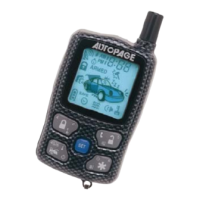
Explanation of various icons displayed on the LCD remote control.
Procedures for programming various features of the LCD remote transmitter.
Guide to setting the clock and various timers on the remote control.
How to check the system's trigger history and current status.
Instructions for starting the vehicle remotely using the transmitter.
Setting the engine to start automatically at a scheduled time.
Monitoring the indoor vehicle temperature via the LCD screen.
Details of the product's limited lifetime warranty terms and conditions.
 General
| Brand | Autopage |
|---|---|
| Model | RS-727LCD |
| Category | Remote Starter |
| Language | English |


 To Next Page