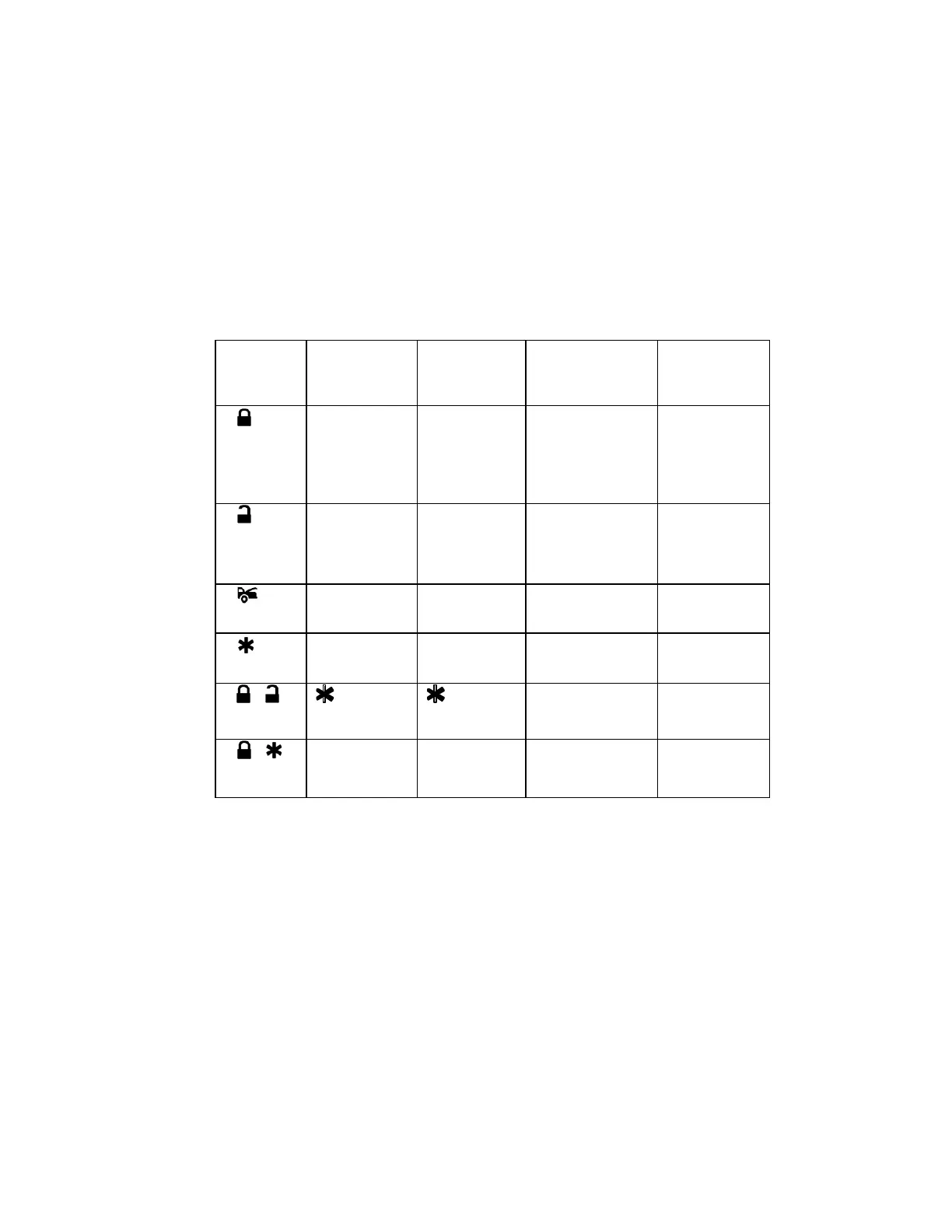
FEATURE “B” PROGRAMMING:
1 Turn the Ignition ‘switch ‘ON/OFF’ 3 TIMES and stay in OFF position.
2 Push the Valet switch 5 times (holding in on the 5th push) until two chirps with a long
chirp is heard then release the valet switch. You are now in the Alarm feature ‘B’
programming mode.
3 Pr ess and release the transmitter button corresponding to the feature you want to
program.
Exit: Turn Ignition to ‘ON’ position, or leave it for 15 seconds.
3 long chirps & 3 parking light flashes will confirm exit.
Press
Transmitter
Button
LED one pulse
Factory
Default Setting
Two Chirps /
LED two
pulses
Three Chirps /
LED three pulses
Four Chirps /
LED four
pulses
1
illumination
feature “off”
turns “on” for
30- second
upon an
unlock signal
“on” for 30-
second upon an
unlock signal &
10-second upon a
lock signal.
2
Ignition
controlled door
locks &
unlocks
Ignition
controlled
door locks
only
Ignition controlled
door unlocks only
ignition
controlled door
locks &
unlocks
3
Door lock
pulses.
Door lock
pulse.
Double pulse
unlock
“Comfort
Feature”
4
Pulsed
Momentary
5 +
Button =
Silent
Arm/Disarm
Button = 3
rd
Channel Aux.
6 +
= Trunk
(Channel 2)
Output
= Two Step
Door Unlock
Output


 To Next Page