Need help?
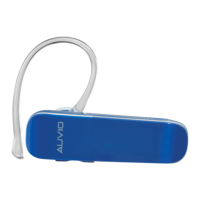
Do you have a question about the AUVIO 1708962 and is the answer not in the manual?
How to enter pairing mode by holding the Multifunction button for 7 seconds.
Steps to connect the headset to a Bluetooth-enabled device after entering pairing mode.
Procedure to pair a second Bluetooth-enabled device, which may disconnect the first.
How to turn off the headset by pressing and holding the Multifunction button.
How to answer, end, or reject incoming calls using the Multifunction button.
Using the headset for redialing the last number and activating voice dialing.
Managing calls: mute/unmute, toggling between headset and phone, switching calls.
 General
| Brand | AUVIO |
|---|---|
| Model | 1708962 |
| Connectivity | Wired |
| Driver Size | 40 mm |
| Frequency Response | 20 Hz - 20 kHz |
| Impedance | 32 Ohms |
| Plug Type | 3.5mm |
| Cable Length | 1.2m |


 To Next Page