8
E-Bass On/Off
1. Press E-Bass for an enhanced bass effect. The
headphones LED lights red when E-bass activated.
2. Press E-Bass again to deactivate.
Pairing Extra Headphones
(Optional)
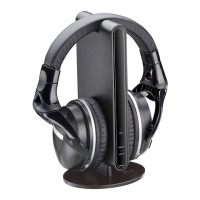
To pair other AUVIO 3301089 headphones with the docking
station:
1. Turn on the docking station and headphones.
2. Press and hold Source/Pair on the docking station for
three seconds to enter pairing mode; the Pair LED fl ashes
blue rapidly.
3. Press and hold Pair on the headphones until the
headphone LED lights blue.
4. When successfully paired, you will hear the audio
signal transmitted from the sound source on your new
headphone connection.
Listening Safely
Set the headphone volume to the lowest setting before listening.
After you begin listening, adjust the volume to a comfortable level.
Do not listen at extremely high volume levels. Extended high-
volume listening can lead to permanent hearing loss.
If you connect the docking station to an audio source headphone
jack, set the audio source’s volume to the middle position. Then
adjust VOL on the headphones to the desired level.
Turn off the headphones before turning off the docking station.
This prevents you hearing a loud click.


 To Next Page