EN
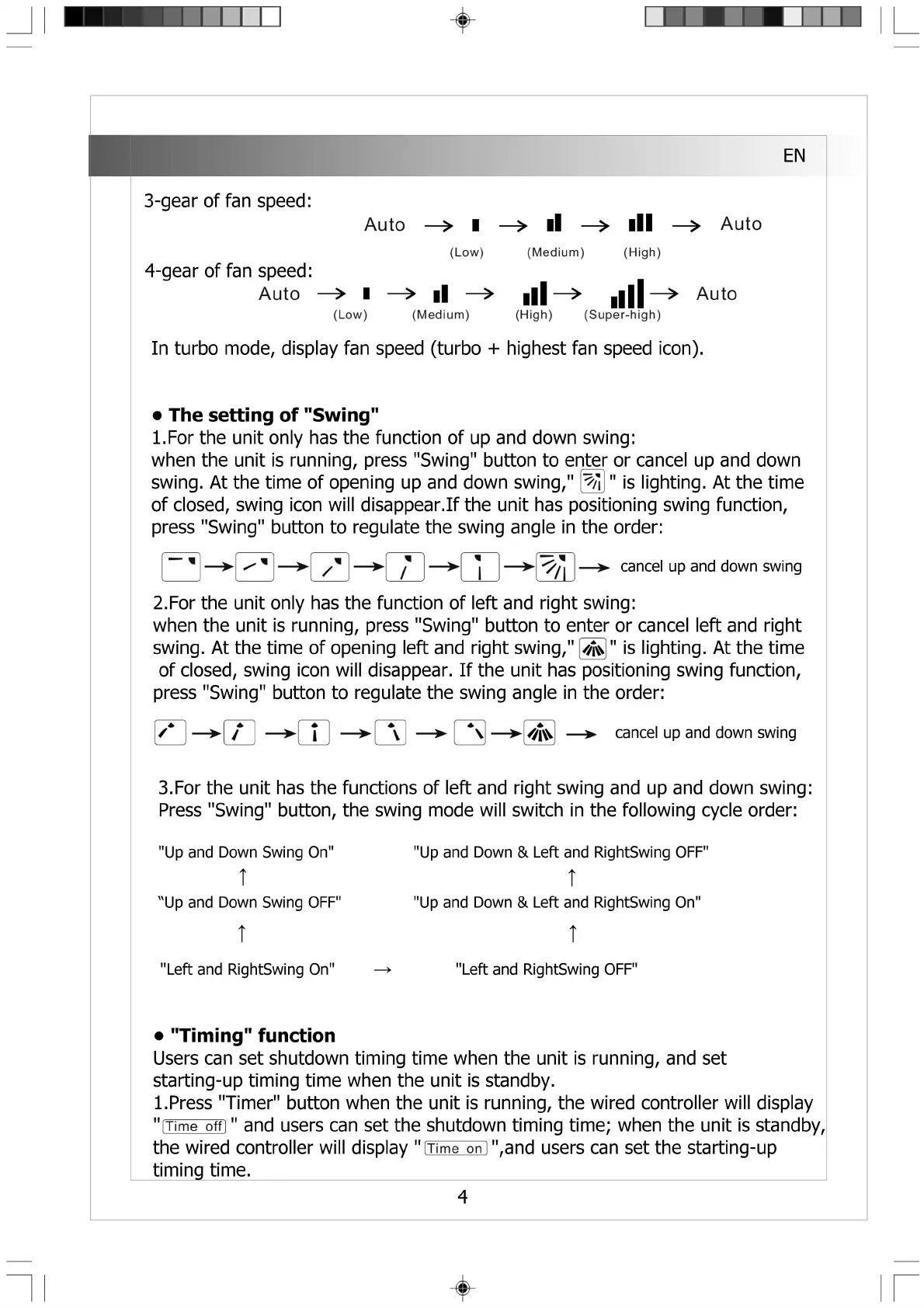
3-gear of fan speed:
4-gear of fan speed:
Auto
Auto
(Low)
^ il -
(Medium)
ill
(High)
Auto
ll
->
■ll^ llll-
(High) (Super-high)
Auto
(Low) (Medium)
In turbo mode, display fan speed (turbo + highest fan speed icon).
• The setting of "Swing"
1. For the unit only has the function of up and down swing:
when the unit is running, press "Swing" button to enter or cancel up and down
swing. At the time of opening up and down swing,"匿 ’"is lighting. At the time
of closed, swing icon will disappear.If the unit has positioning swing function,
press "Swing" button to regulate the swing angle in the order:
— ► csncel up 3nd down swing
2. For the unit only has the function of left and right swing:
when the unit is running, press "Swing" button to enter or cancel left and right
swing. At the time of opening left and right swing,"通 ” is lighting. At the time
of closed, swing icon will disappear. If the unit has positioning swing function,
press "Swing" button to regulate the swing angle in the order:
/ * — >■ / — >■ i — H \ — > ▲、一>> — ► cancel up and down swing
3.For the unit has the functions of left and right swing and up and down swing:
Press "Swing" button, the swing mode will switch in the following cycle order:
"Up and Down Swing On"
T
'Up and Down Swing OFF"
t
"Left and RightSwing On"
"Up and Down & Left and RightSwing OFF"
T
"Up and Down & Left and RightSwing On"
t
—> "Left and RightSwing OFF"
• "Timing" function
Users can set shutdown tinning time when the unit is running, and set
starting-up timing time when the unit is standby.
1.Press "Timer" button when the unit is running, the wired controller will display
" iTime offj" and users can set the shutdown timing time; when the unit is standby,
the wired controller will display "Uime 〇n[",and users can set the starting-up
timing time.
4


 To Next Page
 Loading...