EasyManua.ls Logo

Avalon ABR241BLSS - User Manual

Avalon ABR241BLSS
21 pages
Print Icon
To Next Page IconTo Next Page
Loading...
USER’S GUIDE
Installation, Operation, and Maintenance for your product.
Built-In Beverage Refrigerator
Model ABR241BLSS
www.avallon.com
V2.0-08302019

Questions and Answers

Summary

Important Safety Information

Electrical Safety Guidelines

Essential safety guidelines for electrical connections and usage to prevent hazards.

General Safety Precautions

Appliance Handling and Operation Safety

Precautions for moving, using, and general operation of the beverage refrigerator.

First Time Operating Instructions

Initial Setup and Preparation

Steps before initial use, including unpacking and standing the unit.

Introduction and Product Overview

Welcome and Support Information

Welcome message, product overview, and customer support contact details.

Parts Identification

Full View and Empty View

Identification of key components in both full and empty configurations.

Back View Components

Cabinet, Label, and Internal Parts

Details on rear components like cabinet, product label, power plug, and internal fan.

Installing Your Beverage Refrigerator

Installation Types and Requirements

Guidelines for freestanding and built-in installation, including ventilation.

Installation Clearance and Leveling

Clearance Dimensions and Leveling Procedure

Required spacing for ventilation and steps for leveling the unit.

Recommended Grounding Method

Electrical Grounding Requirements

Proper grounding procedures to prevent electrical shock hazards.

Installing the Door Handle

Door Handle Installation Steps

Step-by-step guide for attaching the door handle securely.

Shelving Installation and Removal

Shelf Installation and Removal Procedures

Instructions for correctly inserting and taking out the shelves.

Reversing Your Door Swing

Door Reversal Procedure

Step-by-step guide to change the door swing direction.

Operation and Control Panel

Pre-Operation Checklist and Panel Guide

Checklist before use and how to operate the control panel functions.

Internal Light Settings

Light Modes and Operation

Explanation of constant and automatic modes for internal lighting.

Defrosting

Frost Management and Prevention

How the unit defrosts and tips to minimize frost build-up.

Normal Sounds

Understanding Operational Noises

Explains common sounds produced by the refrigerator.

Temperature Alarm

High and Low Temperature Alerts

Information on temperature alarms and what they indicate.

Door Ajar Alarm

Door Ajar Warning System

Details on the door ajar alarm and its function.

Cleaning and Maintenance

Interior and Exterior Cleaning

Guidelines for cleaning the inside and outside surfaces of the unit.

Preparing for Storage

Storage Procedure and Precautions

Steps for preparing the unit for long-term storage or moving.

Troubleshooting Common Issues

Issue Resolution Guide

Addresses common problems like frequent on/off cycles and unit not turning on.

Troubleshooting Further Issues

Advanced Issue Resolution

Guidance for issues like temperature not reaching target or strange noises.

Product Specifications

Technical Data and Dimensions

Details on model, voltage, power, capacity, dimensions, and weight.

Avallon Product Warranty

Warranty Coverage and Claims

Information on what is covered, not covered, and how to obtain service.

Summary

Important Safety Information

Electrical Safety Guidelines

Essential safety guidelines for electrical connections and usage to prevent hazards.

General Safety Precautions

Appliance Handling and Operation Safety

Precautions for moving, using, and general operation of the beverage refrigerator.

First Time Operating Instructions

Initial Setup and Preparation

Steps before initial use, including unpacking and standing the unit.

Introduction and Product Overview

Welcome and Support Information

Welcome message, product overview, and customer support contact details.

Parts Identification

Full View and Empty View

Identification of key components in both full and empty configurations.

Back View Components

Cabinet, Label, and Internal Parts

Details on rear components like cabinet, product label, power plug, and internal fan.

Installing Your Beverage Refrigerator

Installation Types and Requirements

Guidelines for freestanding and built-in installation, including ventilation.

Installation Clearance and Leveling

Clearance Dimensions and Leveling Procedure

Required spacing for ventilation and steps for leveling the unit.

Recommended Grounding Method

Electrical Grounding Requirements

Proper grounding procedures to prevent electrical shock hazards.

Installing the Door Handle

Door Handle Installation Steps

Step-by-step guide for attaching the door handle securely.

Shelving Installation and Removal

Shelf Installation and Removal Procedures

Instructions for correctly inserting and taking out the shelves.

Reversing Your Door Swing

Door Reversal Procedure

Step-by-step guide to change the door swing direction.

Operation and Control Panel

Pre-Operation Checklist and Panel Guide

Checklist before use and how to operate the control panel functions.

Internal Light Settings

Light Modes and Operation

Explanation of constant and automatic modes for internal lighting.

Defrosting

Frost Management and Prevention

How the unit defrosts and tips to minimize frost build-up.

Normal Sounds

Understanding Operational Noises

Explains common sounds produced by the refrigerator.

Temperature Alarm

High and Low Temperature Alerts

Information on temperature alarms and what they indicate.

Door Ajar Alarm

Door Ajar Warning System

Details on the door ajar alarm and its function.

Cleaning and Maintenance

Interior and Exterior Cleaning

Guidelines for cleaning the inside and outside surfaces of the unit.

Preparing for Storage

Storage Procedure and Precautions

Steps for preparing the unit for long-term storage or moving.

Troubleshooting Common Issues

Issue Resolution Guide

Addresses common problems like frequent on/off cycles and unit not turning on.

Troubleshooting Further Issues

Advanced Issue Resolution

Guidance for issues like temperature not reaching target or strange noises.

Product Specifications

Technical Data and Dimensions

Details on model, voltage, power, capacity, dimensions, and weight.

Avallon Product Warranty

Warranty Coverage and Claims

Information on what is covered, not covered, and how to obtain service.

Overview

This document is a user's guide for the Avallon Built-In Beverage Refrigerator, Model ABR241BLSS, providing comprehensive information on its installation, operation, and maintenance.

Function Description:

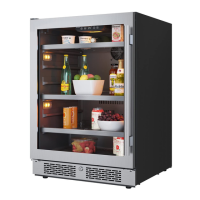
The Avallon ABR241BLSS is a built-in beverage refrigerator designed for domestic indoor use. Its primary function is to store beverages at an optimized temperature range, ensuring proper cooling and preservation. It can be installed as a freestanding unit or recessed under a counter or within kitchen cabinetry, provided adequate ventilation is maintained. The unit features an internal fan for consistent temperature and a carbon filter to protect beverages from harmful odors. It also includes an internal light system with multiple settings and alarms for temperature fluctuations and an open door.

Important Technical Specifications:

  • Model: ABR241BLSS
  • Voltage / Frequency: AC 115 V / 60 Hz
  • Amperage: 1.5 A
  • Input Power: 120 W
  • Color: Black Cabinet with Black Stainless Steel Door
  • Storage Capacity: 140 Cans (based on standard 12 oz. cans; cooling efficiency may decrease when fully loaded)
  • Refrigerant: R600a, 1.4 oz. (Flammable Refrigerant Used)
  • Temperature Range: 34° F to 50° F (1° C to 10° C)
  • Dimensions (Height x Width x Depth): 34 1/8" x 23 13/16" x 25 5/8" (Depth includes handle; depth without handle is 23 3/4")
  • Net Weight: 114 Pounds
  • Installation Clearance: Recommended 1-2 inches at the back for proper service access and ventilation.
  • Electrical Supply: Standard 115 V, 60Hz, properly grounded 3-prong wall outlet. Separate 15 Amp circuit recommended.
  • Ambient Temperature: Designed for operation in environments between 50° F and 90° F.

Usage Features:

  • Control Panel: The unit features a user-friendly control panel with buttons for power, increasing/decreasing temperature, and controlling the internal light.
  • Temperature Control: Users can adjust the internal temperature in one-degree increments within the range of 34° F to 50° F. The display can switch between Fahrenheit and Celsius by pressing and holding both temperature buttons simultaneously.
  • Internal Light Settings: The refrigerator is equipped with top and side internal lights that can be set to blue or white color. There are four light settings: Constant Blue, Constant White, Automatic Blue, and Automatic White. In Constant Mode, lights remain on whether the door is open or closed. In Automatic Mode, lights illuminate when the door is opened and fade off when closed, triggered by a sensor on the front vent. The lights can be completely turned off or on by holding the light button for three seconds.
  • Slide-Out Shelves: The unit includes slide-out shelves for organized storage. These shelves are designed for easy installation and removal, requiring the door to be fully open to prevent damage to the door gasket.
  • Door Swing Reversal: The door swing can be reversed, offering flexibility for installation in various spaces. This operation requires two people and involves carefully removing and reattaching hinges and the door switch.
  • Automatic Defrost: The refrigerator automatically defrosts under most temperature settings and ambient conditions. Manual defrosting may be required in colder or more humid environments if frost builds up.
  • Temperature Alarm: An alarm sounds if the interior temperature exceeds 73°F (23°C) or drops below 25°F (-4°C) for more than one hour, displaying "HI" or "LO" respectively on the control panel.
  • Door Ajar Alarm: A door ajar alarm sounds if the door remains open for more than five minutes, indicating potential cooling performance issues and shortened refrigerator life.
  • Leveling Legs: Adjustable leveling legs ensure the unit is stable and level on any surface, which is crucial for proper operation.

Maintenance Features:

  • Carbon Filter Replacement: The built-in carbon filter, which acts as a natural barrier against harmful odors, should be replaced every 3-6 months, or every three months if the unit is in a kitchen.
  • Interior Cleaning: To clean the interior, disconnect power, remove contents and shelves, allow the unit to defrost, wipe down with a clean cloth, and then reinsert contents and reconnect power.
  • Exterior Cleaning: The door and cabinet can be cleaned with a mild detergent and lukewarm water solution using a soft sponge. Avoid solvent-based or abrasive cleaners, especially on the stainless steel door, which can discolor from chlorine gas and moisture.
  • Storage Preparation: For long-term storage or moving, disconnect power, defrost the unit, leave the door open for air circulation to prevent mold and odors, and ensure the interior is dry and clean. If children are present, remove the door to prevent entrapment.
  • Troubleshooting Guide: The manual includes a comprehensive troubleshooting section to help users diagnose and resolve common issues such as frequent cycling, failure to turn on, inadequate cooling, strange noises, electrification, frost buildup, and improper door closure.
  • Warranty Service: Avallon provides a one-year parts and labor warranty, covering defects in materials or workmanship, with transportation costs covered for the first 90 days. A limited five-year warranty covers the compressor (labor not included), with the consumer responsible for transportation and labor costs after the first year. Warranty service requires contacting Avallon Customer Support with model and serial numbers and proof of purchase.

Avalon ABR241BLSS Specifications

General IconGeneral
BrandAvalon
ModelABR241BLSS
CategoryRefrigerator
LanguageEnglish