11
Operation
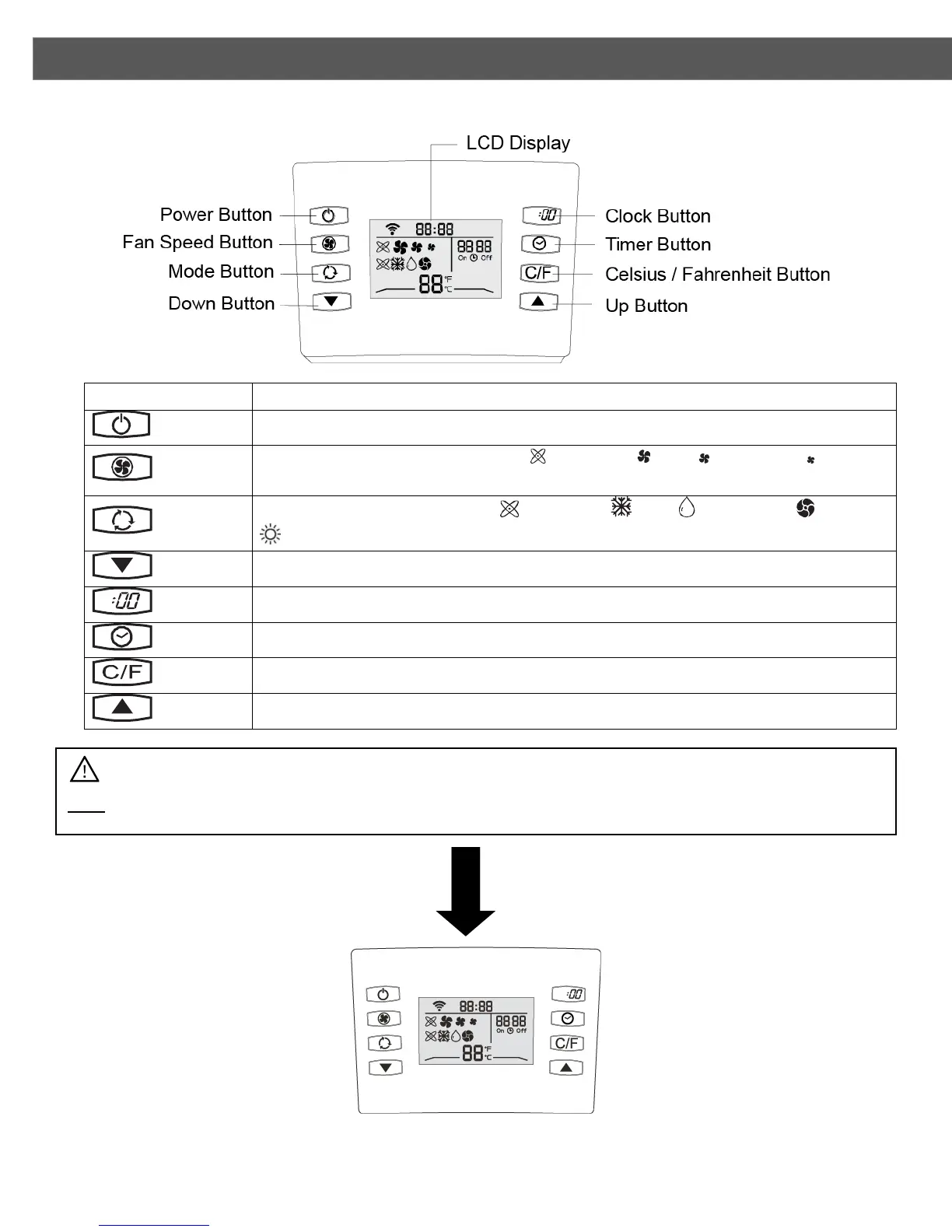
REMOTE CONTROL OVERVIEW
This button powers the unit on or off.
This button sets the fan speed. The Automatic, High, Medium, or Low
indicator will appear depending on the mode you set.
This button sets the mode. The Automatic, Cool, Dehumidify, Fan, or
heat indicator will appear depending on the mode you set.
This button decreases the Temperature, Timer, or Clock settings.
This button is used to set the remote control clock
This button is used to enable the timer.
This button switches the temperature between Celsius / Fahrenheit
This button increases the Temperature, Timer, or Clock settings.
Note: To use the remote, reach directly behind the display and pull up and out to detach it from the unit.


 To Next Page