User Manual
www.AvantcoEquipment.com 3
Operation
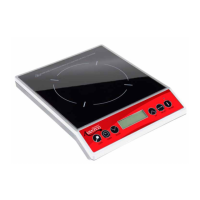
• Place suitable cookware on cooker and connect the power cord. After cooker is connected, the Power Light will
appear indicating that the unit is connected properly.
• Press the ON/OFF switch and the Heating Light will appear, indicating that the induction cooker is heating at the
default power of 1000W or 200
O
F.
• Select button is used to toggle between temperature and power level when making adjustments.
• Adjust the power level from up or down by using or .
• If no cookware is placed on cooking surface within 1 minute, the cooker will automatically shut off for safety purposes.
• Adjust the temperature from 140
O
F to 460
O
F by using or .
• Adjust the time from 0 minutes to 170 minutes by using < or > buttons. The time is adjustable in 5 minute increments.
Once the desired time is chosen, hit Select and the timer will begin counting down.
• Pressing the ON/OFF button during operation will cause the cooker to shut off immediately. After use, the fan will cool
down the induction cooker for one minute and then automatically shut off.
• After pressing ON/OFF, cooker will shut off automatically after 2 hours of continuous use for safety purposes.
To continue cooking, simply restart cooker. If cooker has not been unplugged, it will resume operation at the
previous settings.
Cleaning
• Unlplug unit and wait until the cooker is cooled down completely.
• Clean cooker after each use.
• Do not use benzine, thinner, scrubbing brushes or polishing powder to clean your cooker.
• Wipe cooker clean using dish washing agent and a damp cloth.
• Use a vacuum cleaner to clean dirt from the air intake and exhause vents.
• Never run water over or submerge cooker.
Do not use the following cookware with your induction cooker.
• Heat -resistant glass.
• Ceramic containers.
• Aluminum or copper pans/pots.
• Rounded-bottom pans/pots with bottom measuring less than 5".


 To Next Page
 Loading...