82 Apr-09
Avantes www.avantes.com info@avantes.com
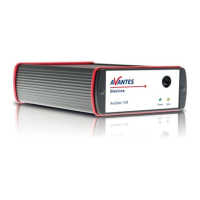
4.2 AvaLight-HAL-S Tungsten Halogen Light Source with shutter
Parts Included
1. AvaLight-HAL Halogen Light source
2. The AvaLight-HAL Operating manual
3. PS-24V/1.25A 100-240VAC power supply (should have been ordered separately)
4. Optional IC-DB15-2 (to connect to USB1 platform)or IC-DB26-2 (to connect to USB2 platform)
connection cable, should have been ordered separately
Starting up
1. Plug in the PS-24V power supply .
2. Plug in the connector of the power supply into the socket of AvaLight-HAL.
3. Connect the SMA-connectors of your fibers to the SMA-plug
4. For automatic TTL-shutter control insert interface cable IC-DB15-2 for USB1 platform or IC-
DB26-2 for USB2 platform, plug in connector and connect to AvaSpec spectrometer
5. Choose operating mode for the mode-switch:
6. For Automatic save-dark use AvaSoft full
PS-24VDC power supply
Settings for high power or long lifetime
The AvaLight-HAL-S is factory set for optimal power output (medium setting), with an internal
jumper the optical energy can be controlled (see table).


 To Next Page
 Loading...