96 Apr-09
Avantes www.avantes.com info@avantes.com
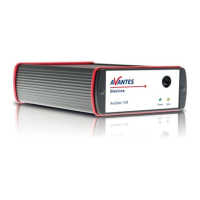
Designations and Functions of Panel Controls
Front Panel Back panel
SMA-Connector
The connector is for use only with SMA-Fiber connectors. Connect your Fiber optic Cable
first before starting the Deuterium Lamp. Please be sure to avoid direct radiation of skin
and eyes at the other fiber end.
Caution: This lamp produces ultra violet radiation that can be harmful to the eyes. Lamps
must not be viewed directly without suitable approved eye protection being used.
Deuterium Light
By switching the Deuterium switch downwards to ON the Deuterium lamp is preheated. After
a warm-up time of 10-20 sec. (green LED flashes) the Deuterium lamp will ignite
automatically.
After successful ignition the Deuterium LED lights up green and indicates that the Deuterium
lamp is in operation. Should the Deuterium lamp not ignite the Deuterium LED lights up red.
Switch to OFF to
reset the Error LED.
Switching the Deuterium switch to upwards to OFF the Deuterium lamp switches off.
Halogen Light
Switching the Halogen switch downwards to ON, the Halogen lamp switches on. The Halogen
LED indicates the operation mode.
Switching the Halogen switch upwards to OFF, the Halogen lamp switches off.
DB-15 TTL Shutter control


 To Next Page
 Loading...