
 Need help?
Do you have a question about the Avantree Saturn Pro and is the answer not in the manual?
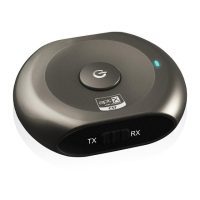
Details the LED indicator, MFB, charging socket, audio jack, and TX/RX switch.
Step-by-step guide to pairing the Saturn Pro in transmitter mode with a Bluetooth receiver.
Step-by-step guide to pairing the Saturn Pro in receiver mode with a Bluetooth source.
Covers automatic connect, manual connect, and auto-off features for reconnection.
 General
| Bluetooth Version | 5.0 |
|---|---|
| Bluetooth Profiles | A2DP, AVRCP |
| Battery Life | Up to 20 hours |
| Frequency Response | 20Hz - 20kHz |
| Operating Temperature | 0°C to 40°C |
| Audio Codecs | aptX, SBC |
| Range | Up to 30m (100ft) |
| Output | 3.5mm audio jack |
| Charging Time | 2 hours |

 To Next Page

