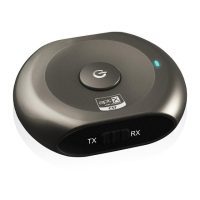
Avantree Saturn User Manual
Bluetooth Audio Transmitter & Receiver 2-in-1
1.ProductDescription
AvantreeSaturnisa2‐in‐1BluetoothreceiverandtransmitterwhichincorporatesthelatestaptXcodecforlesslatency,
highaudioquality.TheSaturnisverysimpletouse,andcanmakeanyaudiodeviceBluetoothenabled.Itcanbeusedto
enableaphonetotransmitmusictoa
homestereosystemorjustaseasily,toallowaCDplayerorotherdeviceto
transmittoaBluetoothspeakersystemorheadphonedevice.Withitscompactdesignanditsabilitytorecharge,this
itemcanbeusedagainandagain,wheneverorwhereveryouwanttouseit.
2.ProductOverview
A. AvantreeSaturn
B. 3.5mmto3.5mmaudiocable
C. RCAaudiocable
D. 3.5mmtoRCAaudiocable
E. USBchargingcable
F. Warrantycard
G. Usermanual
H. Quickuserguide
3.HowtouseSaturnasaTransmitter?
Beforepairing,pleasemakesureyourBluetoothreceiverdevicesupportstruestereoaudio.(SuchasBluetoothstereo
headsetAvantreeSacool,BluetoothspeakerAvantreePlutoAir.)
A. EnsureSaturnisoff,thenpushtheswitchbuttontoTXmode.
B. GetSaturnintopairingmodebypressingandholdingMFBforaround6‐8secondsuntilLEDflashesbluerapidly.
C. GetyourBluetoothstereoreceiverdeviceintopairingmodeatthesametime.
D.
ConnectSaturntotheaudiooutputportoftheaudiosourcesuchasyourTV,iPodetc.viatheaudiocable.


 To Next Page