
 Need help?
Do you have a question about the Avaya LUPCMALL and is the answer not in the manual?
Outlines the voice channel capabilities and features of the PCM system.
Details the background music features and options available for the PCM system.
Explains the signaling channel features, including night ringer and code calling.
Covers additional features of the PCM system, such as DTMF settings and clock synchronization.
Provides a checklist of system options to consider before setup and programming.
Lists the components included in the PCM system package.
Instructions for adding Zone Paging Modules to expand system capacity.
Guidance on wall and rack mounting procedures for the PCM system assemblies.
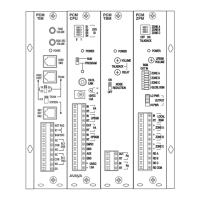
Explains controls like VOLUME, POWER, OVERRIDE, LPBGM VOLUME, TALK BACK controls, NOISE REDUCTION.
Covers interface ports (PAGE PORT/TRUNK), switches (TEL INT SEL, RUN/PROGRAM), terminal strips, jumpers (BGM Jumper Field), and SYS ID.
General overview of connecting the PCM system to different telephone interfaces.
Specific instructions for connecting the PCM to a PBX loop start trunk port.
Specific instructions for connecting the PCM to a PBX ground start trunk port.
Instructions for connecting the PCM system to a PBX page port.
Guide for connecting the PCM system to a PBX analog station port.
Details on connecting the night ringer feature via RJ11 or contact closure.
Instructions for connecting an override input for high-priority paging.
Provides tips for connecting background music sources to the PCM system.
Describes how to supply background music continuously to zones not being paged.
Connecting background music using the same amplifier that supplies paging with music input.
Connecting background music with shared amplifier lacking a dedicated music input.
Details supplying background music to specific groups of zones using PCMZPM modules.
Explains how to inhibit background music in specific zones using jumpers.
Instructions for wiring 70V speakers to the PCM system's zone outputs.
Guide for connecting self-amplified speakers or dedicated amplifiers to zone outputs.
Configuration for enabling hands-free, two-way talk back communication in zones.
Connecting the CPU to external inputs for emergency signaling and tone generation.
Synchronizing the PCM's real-time clock with an external master clock.
Using relay driver outputs to activate external equipment or relays.
Recommended sequence for powering up the PCM system and connected equipment.
Lists the priority levels for different functions within the PCM Zone Paging System.
Setting up paging and signaling zone groups, including erasing them.
Configuring interface default timers, VOX timers, and dialing timeout.
Programming single amp BGM, real-time clock, and clock synchronization.
Setting time-triggered events, setup tone, and resetting default values.
Information on using the PCM system's relay contacts for external equipment.
Explains the concept of paging zones and zone groups in the PCM system.
Step-by-step guide for making voice pages to specific zones.
Instructions for initiating a system-wide page to all zones.
Guide for paging multiple zones simultaneously by using programmed zone groups.
Details on using pattern and echo code calling features for signaling.
Specific steps for making a pattern code call.
Specific steps for making an echo code call.
A guide to verify the proper operation of the PCM system after installation.
Outlines diagnostic procedures (A and B) for identifying and resolving system issues.
Illustrates typical connection diagrams for various applications of the PCM system.
Details how to connect an external audio source for the override input.
Forms for documenting zone configurations, including music and talk back settings.
A map for documenting programmed zone groups and their contained zones.
 General
| Category | Control Systems |
|---|---|
| Brand | Avaya |
| Type | LUPCMALL |
| Compatibility | Avaya communication systems |
| Ports | Ethernet |
| Interface | Ethernet |
| Function | Control and management of communication systems |

 To Next Page