EasyManua.ls Logo

Aventics 580 Series - User Manual

Default Icon
52 pages
Print Icon
To Next Page IconTo Next Page
Loading...
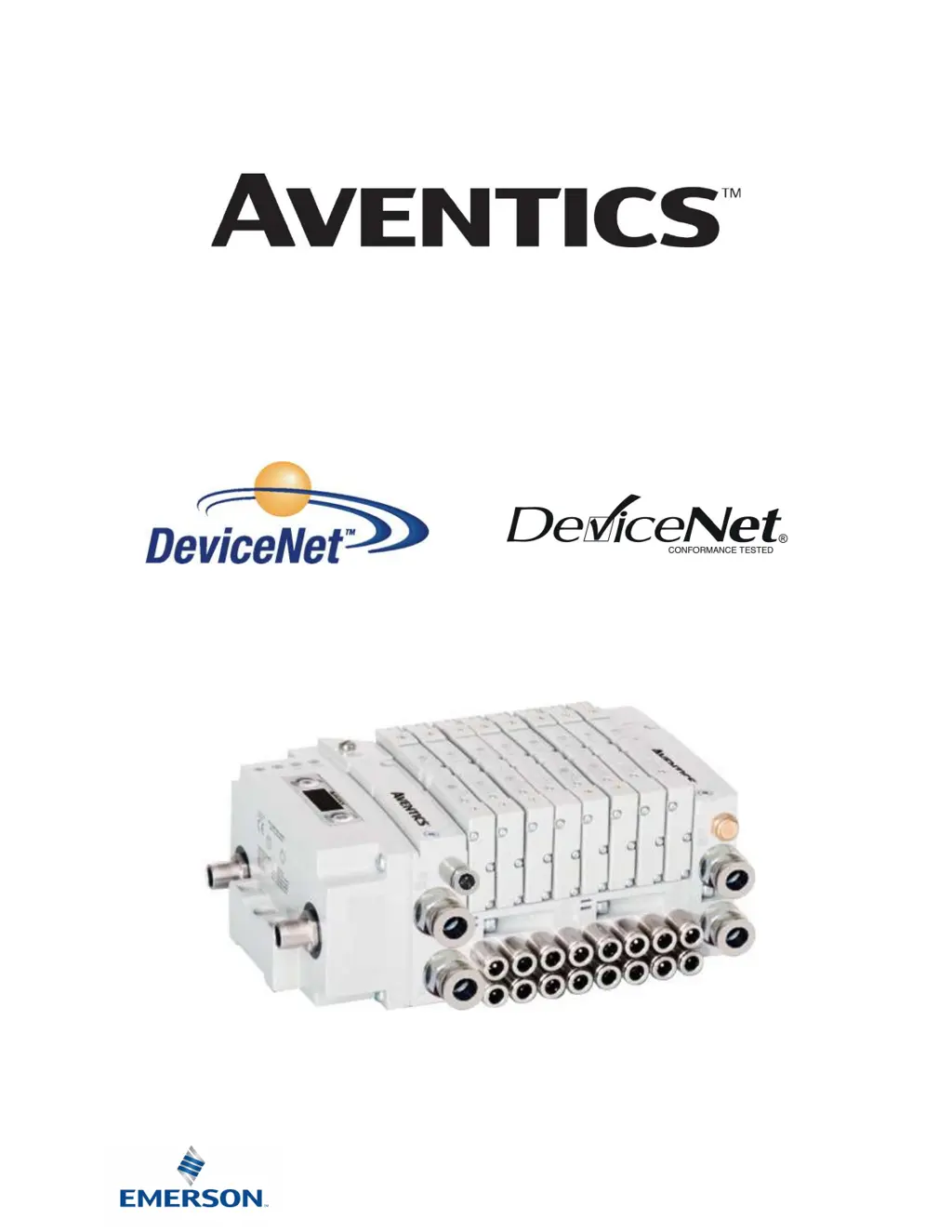
580 Series
DeviceNet
TM
Technical Manual
Distributed by Valin Corporation | www.valin.com | (800) 774-5630 | customerservice@valin.com

Questions and Answers

Summary

Product Usage Conditions

Safety Precautions

Information on safety precautions and symbols used in the manual.

Electrical Installation Guidelines

About DeviceNet

Overview

General introduction to DeviceNet™ protocol and its features.

580 DeviceNet Features

Details on the features of the 580 DeviceNet™ Node.

Cabling and Drop Line Lengths

Information on DeviceNet™ cabling and maximum drop line lengths.

580 Introduction

Pneumatic Valve Manifold - 501 Series Shown

Overview of the pneumatic valve manifold, specifically the 501 Series.

Manifold Connectors

Solenoid Coil Connections using Z-Board Technology

Explanation of Z-Board™ technology for solenoid coil connections.

Z-Board Connectors

Communication Node

DeviceNet Node

Description of the communication node module and its configuration.

DeviceNet Node Description

Detailed description of the components of the DeviceNet™ Node.

Connector Pin-Outs

Pin configurations for DeviceNet™ communication and power connectors.

Electrical Connections

Wiring diagram examples for power supply connections.

Chassis Ground

Guidelines and points for grounding the AVENTICS manifolds.

Power Consumption

Information on power consumption and rating for components.

Recommended External Fuses

Guidance on selecting external fuses based on power consumption.

Diagnostics - LED Functions

Explanation of LED indicators for module and network status.

Output Diagnostic Status Bits

Diagnostic status bits for output protection and faults.

DeviceNet Node Graphic Display

Home Screen

Overview of the main menu structure and navigation.

Network Address Sub-Menu

Steps for setting the DeviceNet™ node network address.

I;O Size

Reference for I/O size of the manifold.

Baud Rate Sub-Menu

Steps for setting the DeviceNet™ node baud rate.

Configuration Mode

Information on setting the configuration mode for the node.

Model Number

Reference for the product model number.

Advanced Settings: Fault;Idle Action

Setting fault and idle actions for outputs during communication issues.

Advanced Settings: Flip Display

How to flip the display orientation on the node.

Advanced Settings: Parameters

Enabling or disabling parameter settings on the node.

Factory Defaults

Steps to restore factory default settings for the node.

Diagnostics

Accessing diagnostic information from the node.

Diagnostics: Self Test Mode

Performing self-tests on the node's outputs.

Error Messages

List of automatic error messages displayed by the node.

DeviceNet Configuration & Mapping

EDS File

Information about EDS files for DeviceNet™ configuration.

I;O Message Types

Definitions of Polled, Cyclic, and Change of State I/O message types.

User Configurable Device Parameters

Overview of user-configurable parameters for the node.

Explicit Messaging

Explanation of explicit messaging for node configuration and diagnosis.

Fault;Idle Mode Parameter

Setting output behavior during communication faults or idle states.

DeviceNet Mapping

I;O Sizes - Rx;Tx

Details on input (Rx) and output (Tx) byte sizes.

Bit Mapping Rules

Rules for mapping bits to valve coils and status inputs.

Mapping Example #1

Example illustrating DeviceNet™ I/O mapping for a specific configuration.

Mapping Example #2

Second example of DeviceNet™ I/O mapping for a different configuration.

Diagnostic Word

Format and meaning of the Diagnostic Word bits.

Commissioning with RSNetWorx

Steps for registering EDS files and configuring the node in RSNetWorx.

Extended Coil Capability

Extended Coil Valve Driver IO Mapping

IO mapping for additional 501 series 32 coil valve drivers.

501 Series: Up to 64 Solenoid Coils

Details on 501 series manifolds with up to 64 solenoid coils.

501 Series: Up to 128 Solenoid Coils

Details on 501 series manifolds with up to 128 solenoid coils.

502;503 Series: Up to 80 Coils

Details on 502 and 503 series manifolds with up to 80 solenoid coils.

Appendix

System Specifications

Electrical specifications for the AVENTICS 580 DeviceNet™ Node.

Factory Default Settings

List of factory default settings for various parameters.

Troubleshooting

Common troubleshooting steps for communication node issues.

Glossary of Terms

Definitions of common terms and symbols used in the document.

Technical Support

Contact information for technical support and additional resources.

Summary

Product Usage Conditions

Safety Precautions

Information on safety precautions and symbols used in the manual.

Electrical Installation Guidelines

About DeviceNet

Overview

General introduction to DeviceNet™ protocol and its features.

580 DeviceNet Features

Details on the features of the 580 DeviceNet™ Node.

Cabling and Drop Line Lengths

Information on DeviceNet™ cabling and maximum drop line lengths.

580 Introduction

Pneumatic Valve Manifold - 501 Series Shown

Overview of the pneumatic valve manifold, specifically the 501 Series.

Manifold Connectors

Solenoid Coil Connections using Z-Board Technology

Explanation of Z-Board™ technology for solenoid coil connections.

Z-Board Connectors

Communication Node

DeviceNet Node

Description of the communication node module and its configuration.

DeviceNet Node Description

Detailed description of the components of the DeviceNet™ Node.

Connector Pin-Outs

Pin configurations for DeviceNet™ communication and power connectors.

Electrical Connections

Wiring diagram examples for power supply connections.

Chassis Ground

Guidelines and points for grounding the AVENTICS manifolds.

Power Consumption

Information on power consumption and rating for components.

Recommended External Fuses

Guidance on selecting external fuses based on power consumption.

Diagnostics - LED Functions

Explanation of LED indicators for module and network status.

Output Diagnostic Status Bits

Diagnostic status bits for output protection and faults.

DeviceNet Node Graphic Display

Home Screen

Overview of the main menu structure and navigation.

Network Address Sub-Menu

Steps for setting the DeviceNet™ node network address.

I;O Size

Reference for I/O size of the manifold.

Baud Rate Sub-Menu

Steps for setting the DeviceNet™ node baud rate.

Configuration Mode

Information on setting the configuration mode for the node.

Model Number

Reference for the product model number.

Advanced Settings: Fault;Idle Action

Setting fault and idle actions for outputs during communication issues.

Advanced Settings: Flip Display

How to flip the display orientation on the node.

Advanced Settings: Parameters

Enabling or disabling parameter settings on the node.

Factory Defaults

Steps to restore factory default settings for the node.

Diagnostics

Accessing diagnostic information from the node.

Diagnostics: Self Test Mode

Performing self-tests on the node's outputs.

Error Messages

List of automatic error messages displayed by the node.

DeviceNet Configuration & Mapping

EDS File

Information about EDS files for DeviceNet™ configuration.

I;O Message Types

Definitions of Polled, Cyclic, and Change of State I/O message types.

User Configurable Device Parameters

Overview of user-configurable parameters for the node.

Explicit Messaging

Explanation of explicit messaging for node configuration and diagnosis.

Fault;Idle Mode Parameter

Setting output behavior during communication faults or idle states.

DeviceNet Mapping

I;O Sizes - Rx;Tx

Details on input (Rx) and output (Tx) byte sizes.

Bit Mapping Rules

Rules for mapping bits to valve coils and status inputs.

Mapping Example #1

Example illustrating DeviceNet™ I/O mapping for a specific configuration.

Mapping Example #2

Second example of DeviceNet™ I/O mapping for a different configuration.

Diagnostic Word

Format and meaning of the Diagnostic Word bits.

Commissioning with RSNetWorx

Steps for registering EDS files and configuring the node in RSNetWorx.

Extended Coil Capability

Extended Coil Valve Driver IO Mapping

IO mapping for additional 501 series 32 coil valve drivers.

501 Series: Up to 64 Solenoid Coils

Details on 501 series manifolds with up to 64 solenoid coils.

501 Series: Up to 128 Solenoid Coils

Details on 501 series manifolds with up to 128 solenoid coils.

502;503 Series: Up to 80 Coils

Details on 502 and 503 series manifolds with up to 80 solenoid coils.

Appendix

System Specifications

Electrical specifications for the AVENTICS 580 DeviceNet™ Node.

Factory Default Settings

List of factory default settings for various parameters.

Troubleshooting

Common troubleshooting steps for communication node issues.

Glossary of Terms

Definitions of common terms and symbols used in the document.

Technical Support

Contact information for technical support and additional resources.

Aventics 580 Series Specifications

General IconGeneral
Protection ClassIP65
TypePneumatic Directional Control Valve
ActuationSolenoid
Operating Temperature-10°C to +60°C
Port SizeG1/8
MaterialAluminum
Connection TypeThreaded
Series580 Series