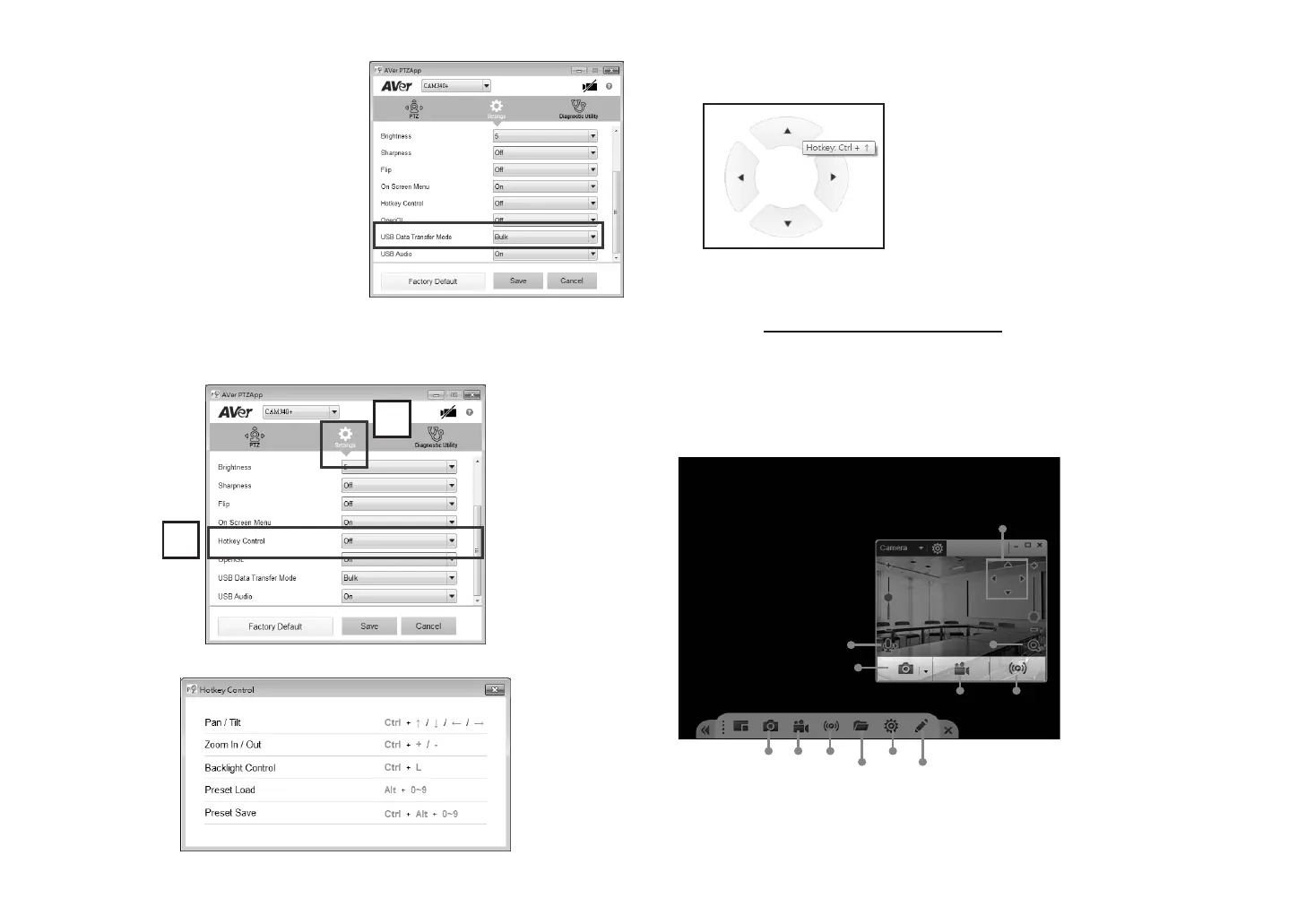
4. For USB Data Transfer Mode, please select
mode in Mac OS and Windows as:
For Mac OS: isochronous mode
For Windows: Bulk mode
Hotkey Control
Enable hotkey control to use keyboard control camera’s movement and backlight function.
1. Select “Settings”
2. Set Hotkey Control to “On”.
3. A hotkey description as below figure shown:
4. When hotkey control is enabled, a hotkey tip will display when mouse is moved to the
PTZ control button in PTZ mode.
Install EZLive
Please go to http://www.aver.com/download-center to download the AVer EZLive software.
After downloading, double-click on the file and follow the on-screen instructions to complete
the installation.
Use AVer EZLive
During a video call, EZLive can help user to do:
(3)
(2)
(4) (5)
(7) (8) (9)
(10)
(11)
(12)
(6)
(1)
1
2
(1) Camera ePTZ (2) Volume control for the speaker connected
(3) Capture camera’s still images (4) Record video
(5) Live stream to Youtube, Livehouse.in, USTREAM…etc.
(6) Camera Zoom in/out
(7) Capture PC screen shot
(8) Record PC screen
video
(9) Set up livestream
(10) Open file management
to retrieve photos and
video files
(11) Livestream setting
(12) Drawing tool
[Note] If the hotkey function is enabled after installed
PTZApp, PTZApp auto launch next time PC reboot.
Therefore, the customer can use all the hotkey
commands since PTZApp is auto running in system
tray.



 To Next Page