8
AVer Information Inc. Support Guide – AVer Pro-AV Camera (3/9/2020)
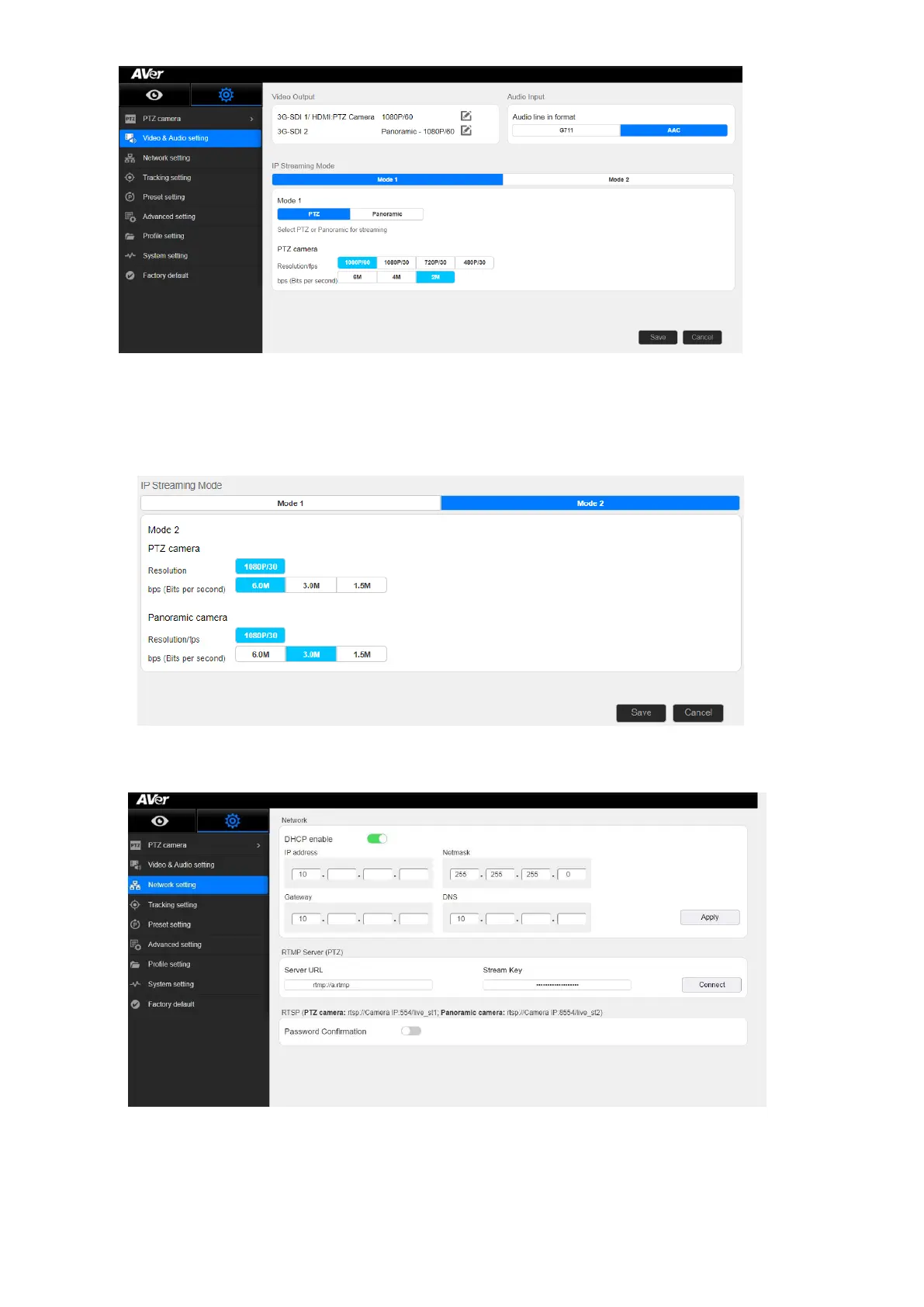
Mode 1: You will use either the PTZ Camera OR Panoramic Camera view for your stream with
varying video selections.
Mode 2: There will be 2 simultaneous streams from PTZ and Panoramic views set to
(1080p/30) with adjustable bps (bits per second) if selected.
7. Next, select Network Setting. You should now see the following information displayed.
*Note: It is a good idea to verify the Gateway of your network, this is how the camera stream will
access the WWW.



 To Next Page