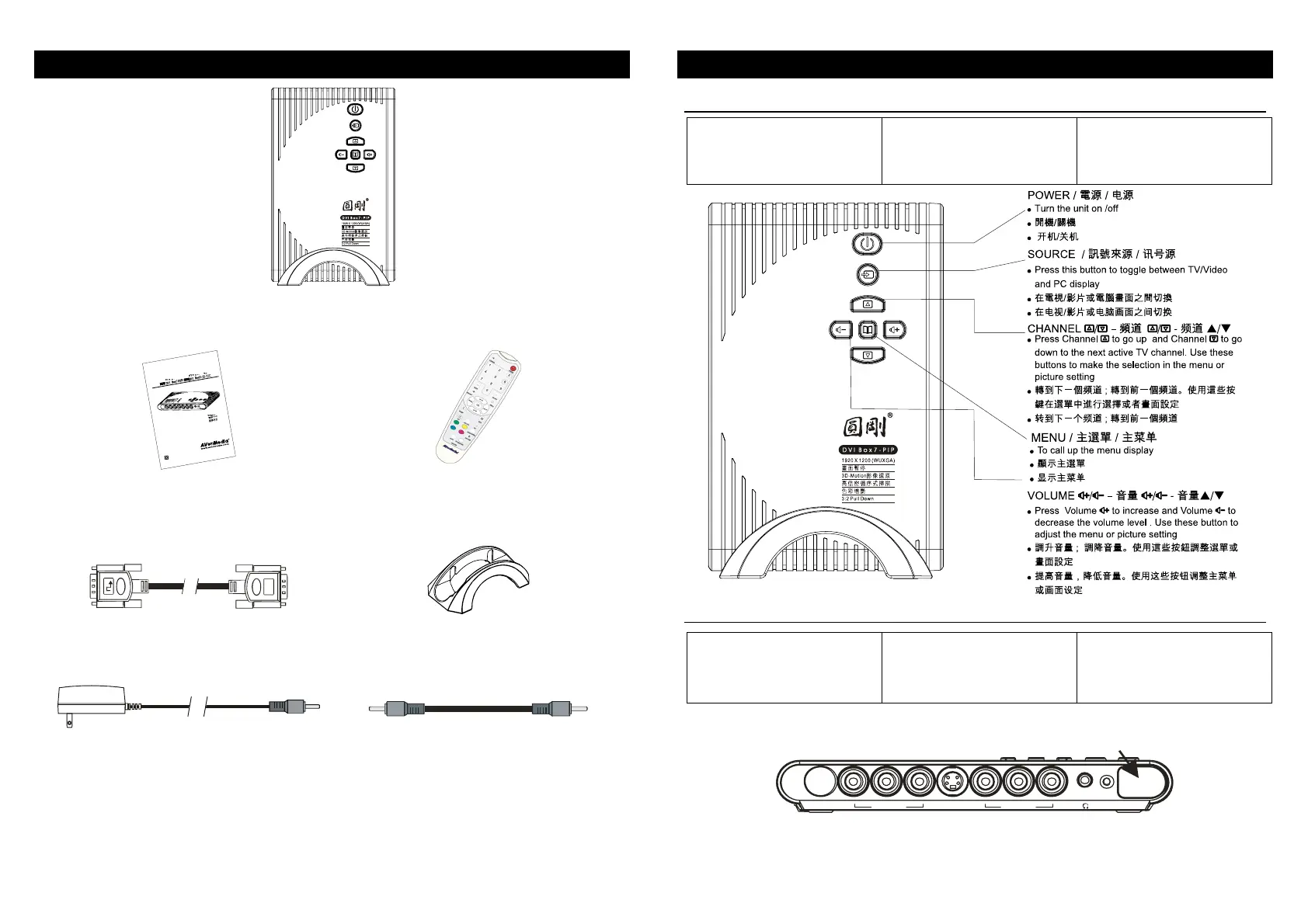
What’s in the package/包装配件
AVerTV DVI Box7/AVerTV DVI Box9
DVI Box7-PIP/ DVI Box9/ DVI Box9-3D Y/C
DVI Box7-PIP/ DVI Box9/ DVI Box9-3D Y/C
A
V
e
r
T
V
D
V
I
B
o
x
7
/
A
V
e
r
T
V
D
V
I
B
o
x
9
U
s
e
r
’
s
M
a
n
u
a
l
E
n
g
l
i
s
h
P
/
N
3
0
0
A
A
C
-
-
M
a
d
e
i
n
T
a
i
w
a
n
• User’s Manual
•
• 使用说明书
• Remote Control (with batteries)
•
• 遥控器(附电池)
• DVI Cable (DVI-D)
• DVI (DVI-D)
• DVI 显示卡连接线 (DVI-D)
• Vertical Stand
•
• 直立式支架
• Power Adapter
•
• 电源变压器
• Audio Cable
•
• 声音连接线
*Use the DVI-D cable to input or output the DVI signal. / DVI DVI-D
/ 输入或输出 DVI 讯号时,请使用 DVI-D 显示卡连接线
The Unit / /主机
Touch Button Control Panel /
触碰式控制面板
The Touch Button Panel found
on the top side of the unit
provides quick access to
commonly used functions.
在主机的触碰式控制面板上,您可
以轻松、快速地找到您经常需要操
作的控制按钮。
Infrared Sensor /
红外线接收器
When using the remote
control, aim it at the Infrared
Sensor which is located at the
front panel of the unit.
使用遥控器时,请对准主机前方面
板的红外线接收器。
!
!
INFRARED REMOTE SENSOR
!
紅外線接收處
红外线接收处
YPbPr IN S-IN A/V IN
(*Only AVerTV DVI Box9 is equipped with component video input
* DVI Box9-3D Y/C DVI Box9 *仅圆刚 DVI Box9-3D Y/C 与圆刚
DVI Box9 有色差端子输入端)
1











 To Next Page