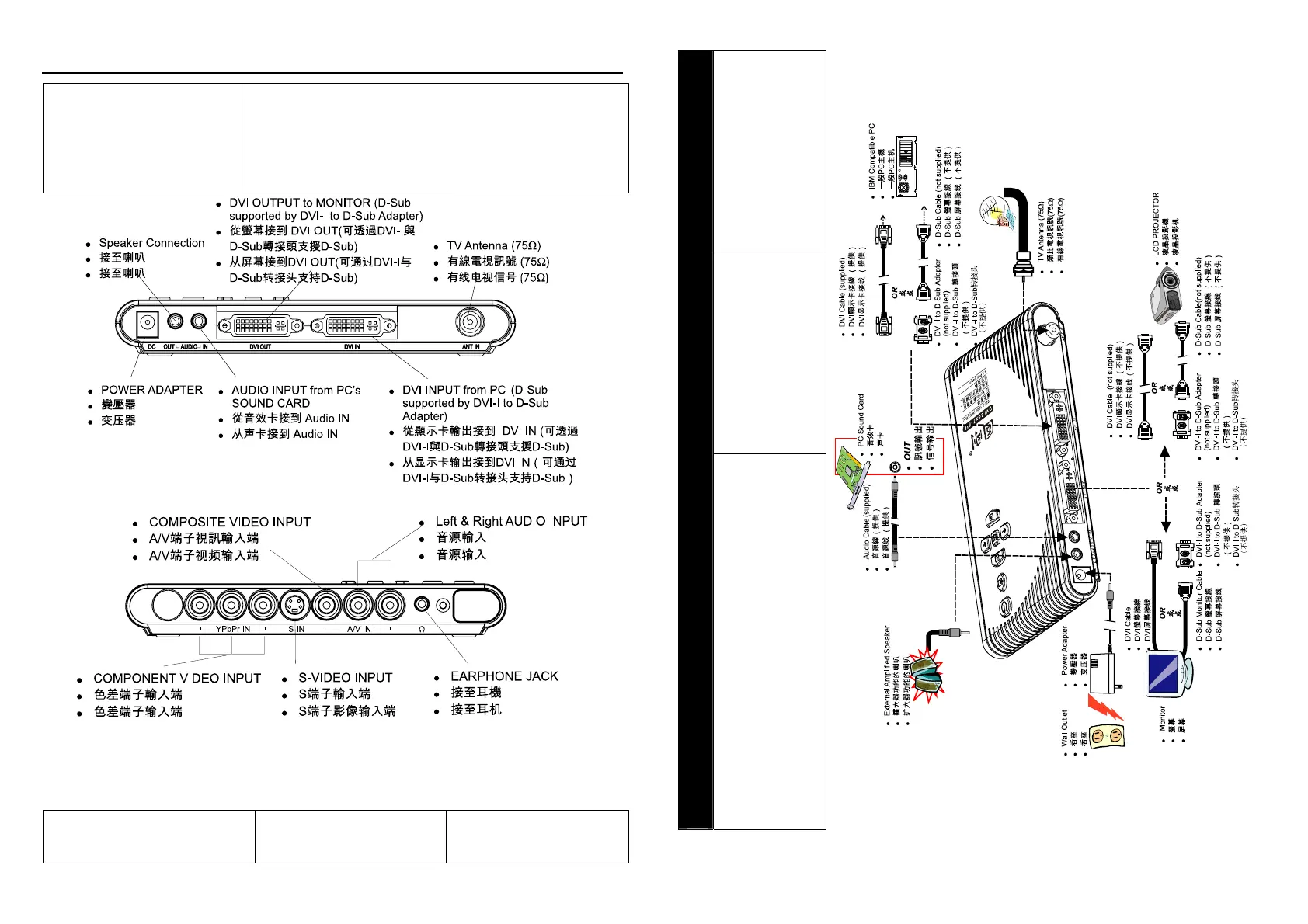
Connection Ports /
连接端口
The port connectors allow
connection of your TV antenna,
PC, VGA monitor or LCD
projector, speakers, video, or
s-video source etc.
经过输入/输出端口,可以连接
您的电视讯号,放映至
LCD/CRT(PC)个人电脑屏幕或
LCD 投影机。此外,也提供喇叭
输出,以及 S-Video,电脑声音
的信号输入来源。
Back Panel / / 后方面板
Front Panel / 前方面板
(*Only AVerTV DVI Box9 is equipped with component video input
*DVI Box9-3D Y/C DVI Box9 *仅圆刚 DVI Box9-3D Y/C 与圆刚 DVI Box9
有色差端子输入端)
The Installation and Setup section
provides more information on
cable connections.
关于安装与设定,请见以下更详
细的说明。
此图显示与音源/影像源讯号连接
的正确连接端口与连接线材。请特
别注意当输入与输出模式不同时,
将无法侦测到信号,请确定您的输
入与输出为同一种类型(同为
或同为 )。
/
( DVI
D-Sub)
Installation and Setup / 安装
The figure below shows the proper cable connections for
installing AVerMedia TV Box and connecting it to your
audio/video equipment. Please be notied If your signal input
and output are not the same type, there will not be able to
detect the signal normally. Please make sure that your input
and output are in the same type (both DVI or both D-Sub).
2











 To Next Page