Need help?
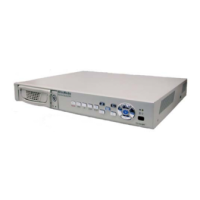
Do you have a question about the Avermedia EB1004 BAK and is the answer not in the manual?
Guides users through the process of installing master and slave hard drives into the DVR.
Guides users through the initial power-on and formatting process for the DVR.
Details how to initiate recording, stop recording, and playback recorded surveillance video.
Allows changing password, system date/time, and VGA display settings.
Configures motion detection sensitivity and recording time.
Manages overwrite settings, HDD size, and formatting for master and slave drives.
 General
| Recording Frame Rate | Up to 30fps per channel |
|---|---|
| Storage | 1 x SATA HDD (up to 6TB) |
| Audio Output | 1 x RCA |
| USB Ports | 2 x USB 2.0 |
| Video Compression | H.264 |
| Video Output | 1 x VGA, 1 x HDMI |
| Recording Resolution | 1080p |
| Audio Input | RCA |
| Power Supply | 12V DC |

 To Next Page