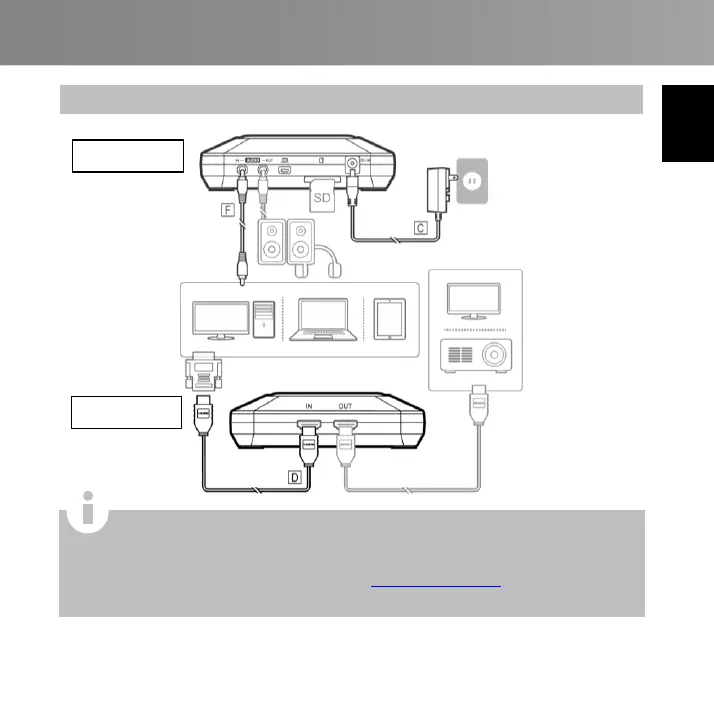
For computers without an HDMI port, use a DVI-to-HDMI cable or converter.
Also connect your PC to the AUDIO IN port via the 3.5 mm audio cable.
Select “Duplicate” mode on your PC to ensure screen is recorded. For more
information, please refer to the FAQ at www.avermedia.com
Do not disconnect the power cable or remove the SD card during recording.



 To Next Page