© 2023 by AVerMedia 7
Installation
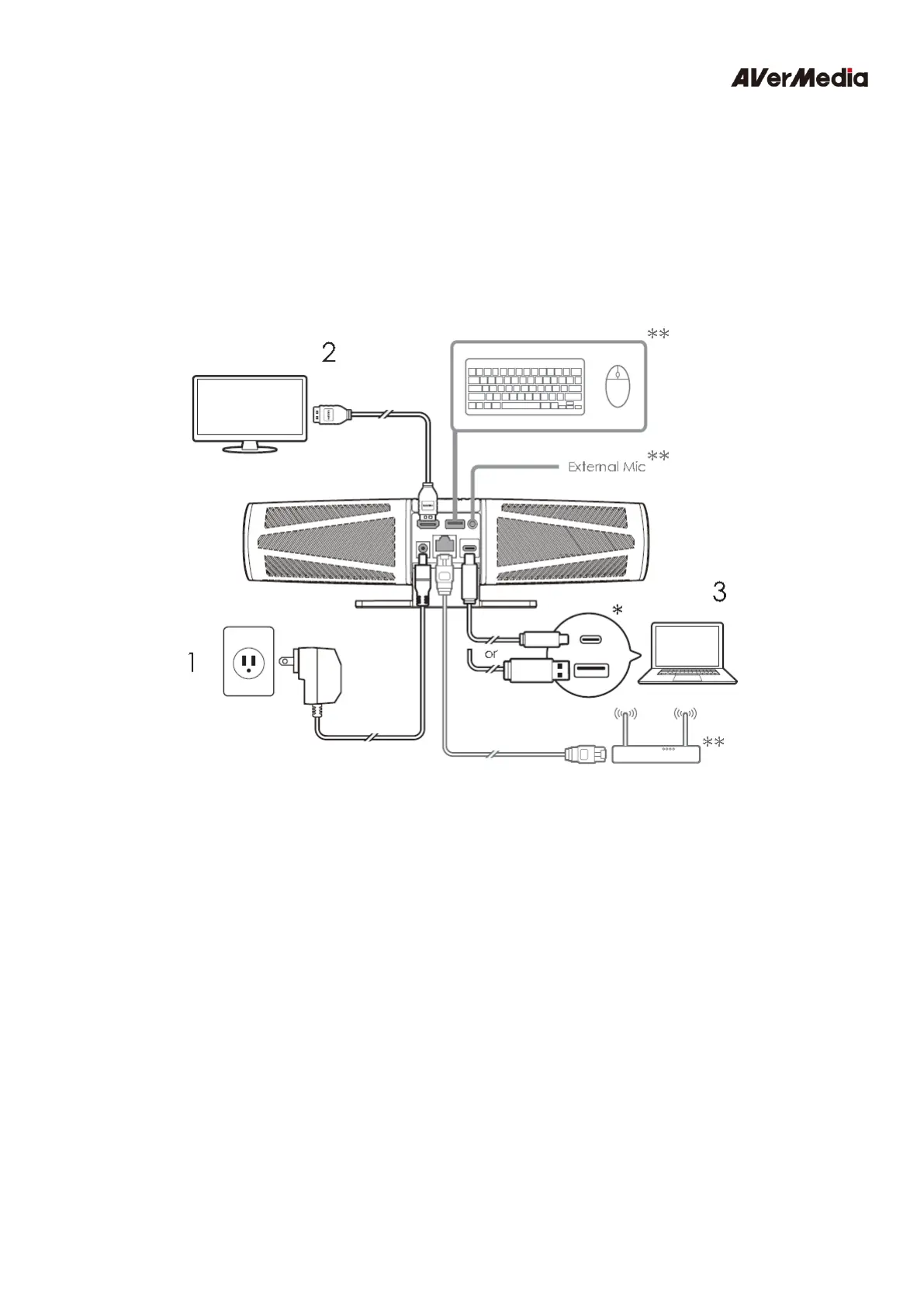
1. Plug Mingle Bar into a power outlet.
2. Connect a monitor/TV to Mingle Bar via an HDMI cable.
3. Connect Mingle Bar's USB-C port to your laptop using the included USB cable.
Note:
*Ensure the computer’s USB port supports DisplayPort Alt Mode for HDMI to function properly
on Mingle Bar.
**Optional: Mingle Bar is also capable of hosting other devices such as keyboards, external
microphones, routers, etc. when needed.


 To Next Page