EasyManua.ls Logo

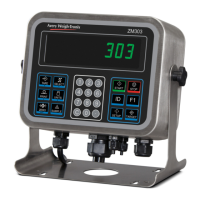
Avery Weigh-Tronix ZM303 - User Manual

Avery Weigh-Tronix ZM303
75 pages
Print Icon
To Next Page IconTo Next Page
Loading...
1a.
ZM303
Indicator
User Instructions
AWT35-500722
Issue AC
www.ScaleMarket.com

Table of Contents

Question and Answer IconNeed help?

Do you have a question about the Avery Weigh-Tronix ZM303 and is the answer not in the manual?

Summary

General Information and Warnings

Indicator Installation

Procedures for setting up the indicator and ensuring safe installation.

Routine Maintenance

Guidelines for regular checks and upkeep of the indicator for proper operation.

FCC and EMC Compliance

Information regarding compliance with FCC and EMC regulations.

Product Declarations

Official statements confirming the product meets specified EC directives and standards.

Product Introduction

Front Panel Overview

Detailed description of the keys, display, and annunciators on the indicator's front panel.

Powering Up the Indicator

Instructions on how to supply power to the indicator and start its operation.

Weighing Applications

General Weighing

Core weighing functions including gross, net, and tare weight measurements.

Counting Application

Procedures for counting items using sample operations like dribble and bulk sampling.

Checkweighing Application

Setting up and performing checkweighing operations to verify item weight against limits.

Batching Application

Configuration and operation of batching processes, including different filling types.

Summary

General Information and Warnings

Indicator Installation

Procedures for setting up the indicator and ensuring safe installation.

Routine Maintenance

Guidelines for regular checks and upkeep of the indicator for proper operation.

FCC and EMC Compliance

Information regarding compliance with FCC and EMC regulations.

Product Declarations

Official statements confirming the product meets specified EC directives and standards.

Product Introduction

Front Panel Overview

Detailed description of the keys, display, and annunciators on the indicator's front panel.

Powering Up the Indicator

Instructions on how to supply power to the indicator and start its operation.

Weighing Applications

General Weighing

Core weighing functions including gross, net, and tare weight measurements.

Counting Application

Procedures for counting items using sample operations like dribble and bulk sampling.

Checkweighing Application

Setting up and performing checkweighing operations to verify item weight against limits.

Batching Application

Configuration and operation of batching processes, including different filling types.

Avery Weigh-Tronix ZM303 Specifications

General IconGeneral
Display TypeLCD
KeypadTouch screen
EnclosureStainless steel
PowerAC or DC
Communication PortsEthernet
Platform SizeNot applicable

Related product manuals