Home
AVHzY
Measuring Instruments
CT-2
Page 32 (Curve Create New)
AVHzY CT-2 - Curve Create New
46 pages
Manual
Save Page as PDF
To Next Page
To Next Page
To Previous Page
To Previous Page
Loading...
•
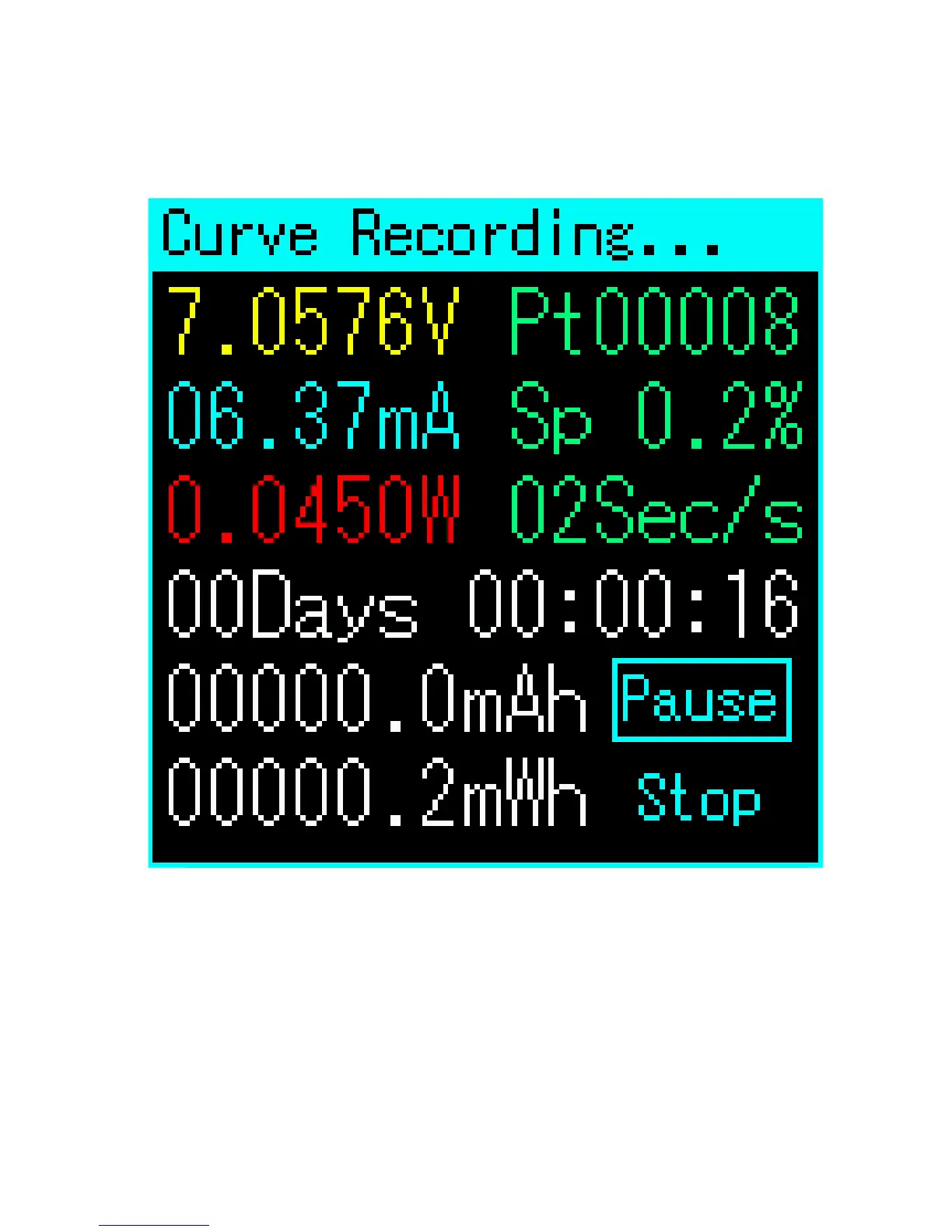
Cur
v
e Create New
Af
ter clicking "Cur
ve Cr
eate New" option,
the scr
een will turn to abov
e.
Curr
ent voltage, curr
ent and power is
shown on the top-left side, point No., space
condition, sample rate is shown in gr
een,
summar
y data is shown in white.
31
33
Other manuals for AVHzY CT-2
Quick Start Guide
2 pages



 To Next Page