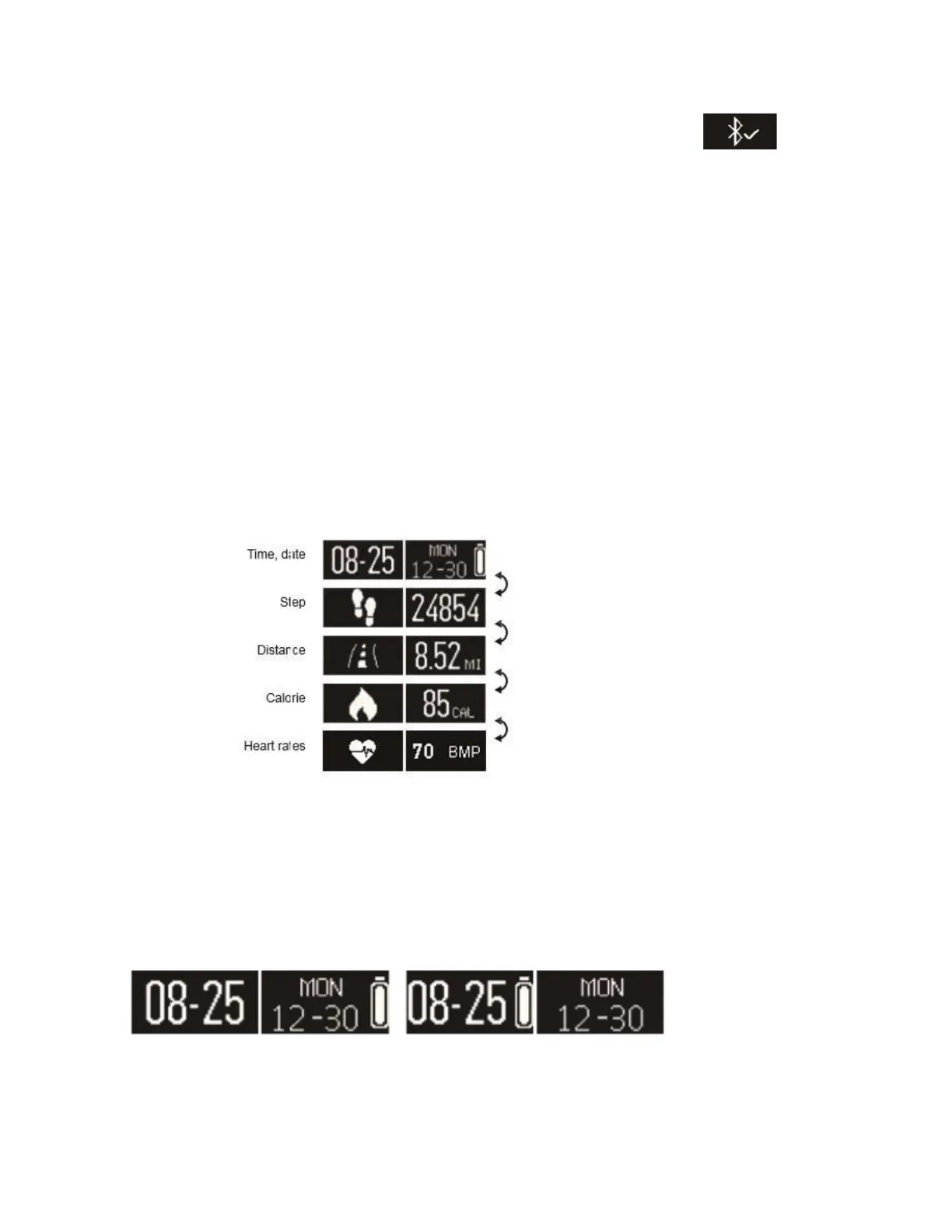
5. Once pairing is successful the watch will display the following: on the
screen and your mobile device will get a pairing notification as well. If it failed to
pair, please go to the app’s "Setting" and click "Unpair" to restart and repeat the
above steps again. The app can only pair with one watch at a time so you have to
unpair the present one first and then connect it after with new watch devices.
Note: iOS users will receive a Bluetooth pairing request on their phones too.
Please, accept it.
6. Display and Notifications Menu
Press the watch button (or tap the display) to switch the screen interface.
7. Watch Display Options
Date, Week, Battery display
The watch's date, week, and battery will be in sync automatically with your mobile device



 To Next Page