16
EN
D - CONFIGURATION
720P WIFI IP CAMERA
1
2
3
iOS
1
2
3
Android
1
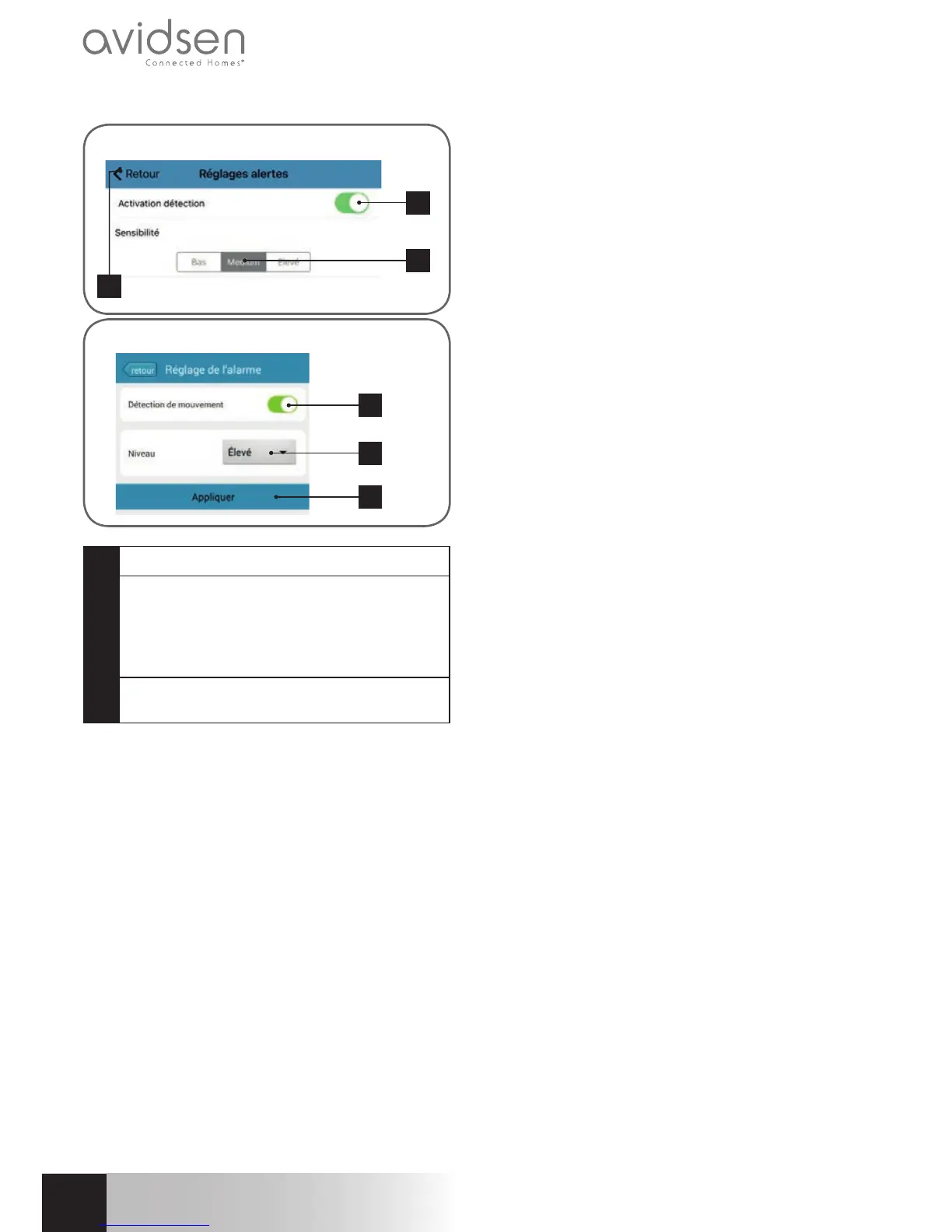
Click here to activate movement detection
2
Use this to adjust the sensitivity of the
movement detector. When set to high
sensitivity the smallest movement will
send an alert, in low sensitivity, only large
movements on the screen will send an alert
3
Click on "Appliquer" (Apply) to save your
settings, or "Retour" (Return) on iOS
This completes the confi guration. From this
point on, any movement in front of the camera
will result in an email alert, an Aviwatch app
notifi cation and/or a fi le to be saved to the
memory card, depending on your settings.



 To Next Page