11
EN
D - CONFIGURATION
720P WIFI IP CAMERA
1 - CONFIGURING THE CAMERA AND
ADDING IT TO THE APP
Download and install the Aviwatch
app from
the appstore or Google Play on your smartphone or
tablet, then launch the app.
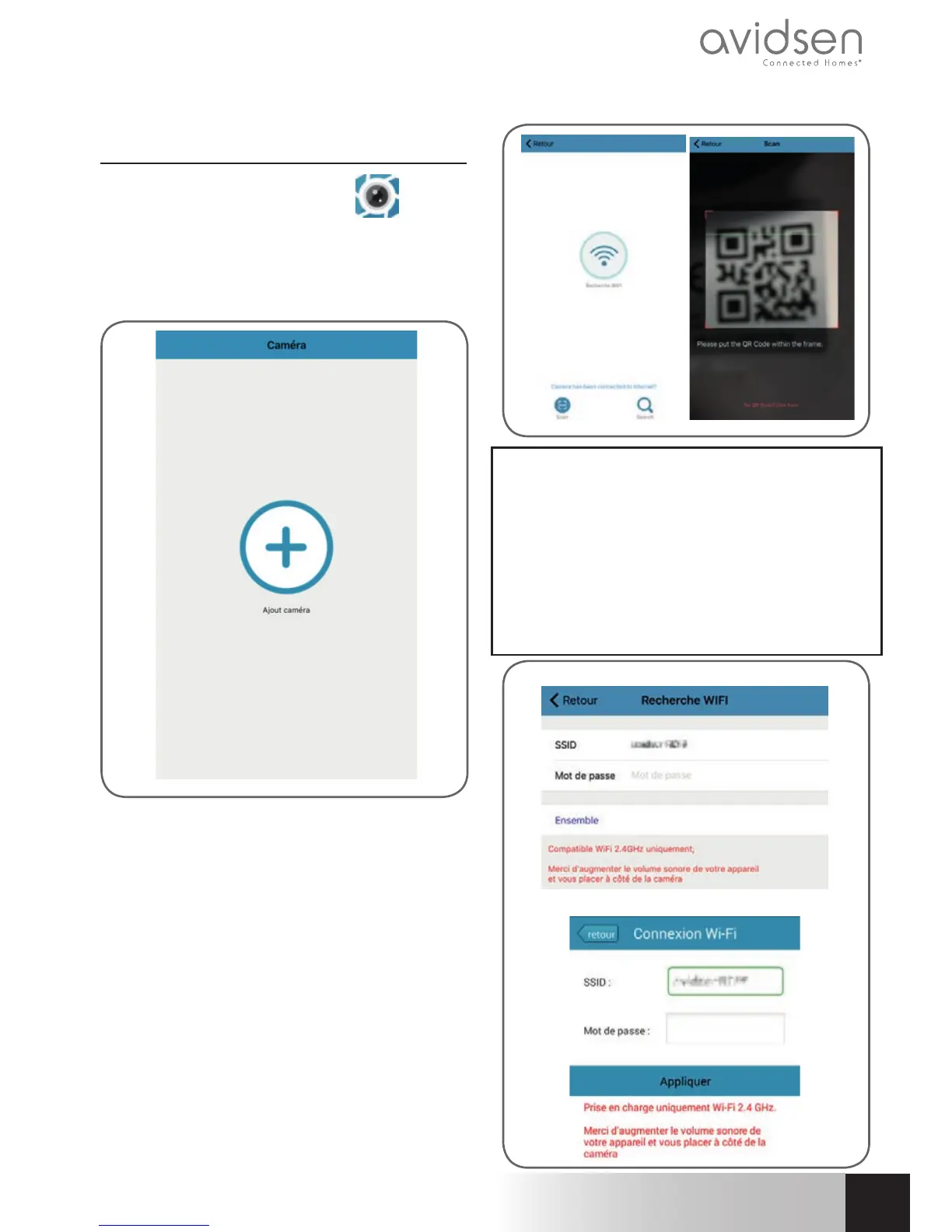
Click on "+" to add the camera
Then click "recherche wifi " (Scan WiFi) to add
your camera and scan the QRCODE, if accessible,
otherwise click "No QRCODE? Click here"
Important: fi rst connect your smartphone or tablet
to the WiFi network that your camera should be
using.
5 Ghz WiFi not compatible. The special characters
(#!»&@ etc.) in your security key as well as the HT40
(40 Mhz bandwidth) may lead to confi guration
diffi culties.
Please check the WiFi parameters of your box with
your internet service provider if you experience
connection diffi culties.
iOS
Android



 To Next Page