11
ENEN
d - CONFiGurATiON
720P WIFI IP VCAMERA
AfterenteringthepasswordfortheWiFinetworkthat
thecamerashouldbeusing,clickon"Ensemble"
(Set) or "Appliquer" (Apply): your tablet or
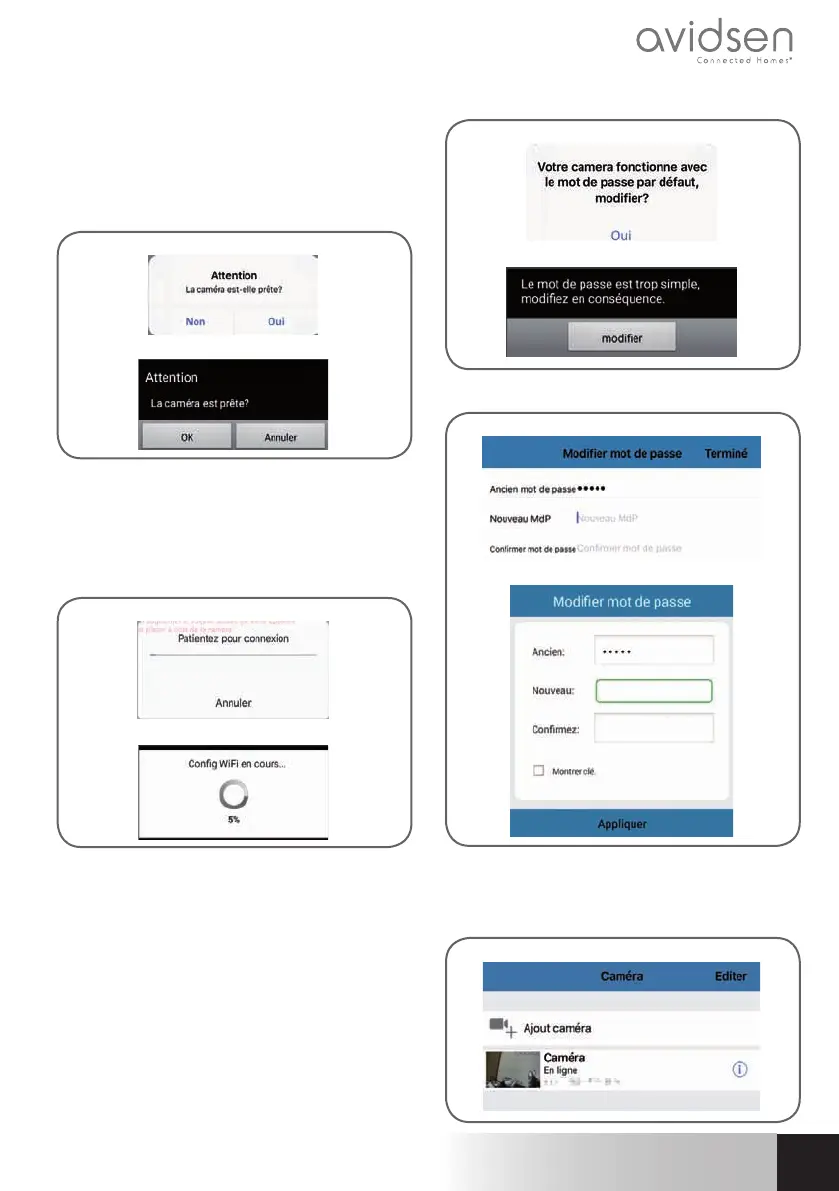
smartphone is asking if the camera is accessible
andifitisreadytobecongured
iOS
Android
Ifyourcamera isnearbyandnot congured,click
on"Oui"(Yes)or"OK"tobegincongurationusing
theapp.
Note:thecamerawilltake30secondstoloadup
afterbeingswitchedon.
iOS
Android
OncetheWiFiconnectioninformationhasbeensent
tothecamerabytheapp,thecamerawillconnect
tothenetworkusingWiFi.
Your smartphone or tablet will ask you to change
thepassword:
iOS
Android
Clickon"Oui"(Yes)andenteranewpassword
iOS
Android
Finally,clickon"Terminé"(Done)ontheupperright-
handsideofthescreenoron"Appliquer"(Apply)
toaddthecameratothelistofcamerasrecognized
bytheapp.
iOS



 To Next Page