EasyManua.ls Logo

Avidyne IFD5 Series - User Manual

Avidyne IFD5 Series
30 pages
Print Icon
To Next Page IconTo Next Page
Loading...
avidyne.com | 800.AVIDYNE
QUICK REFERENCE
IFD5XX
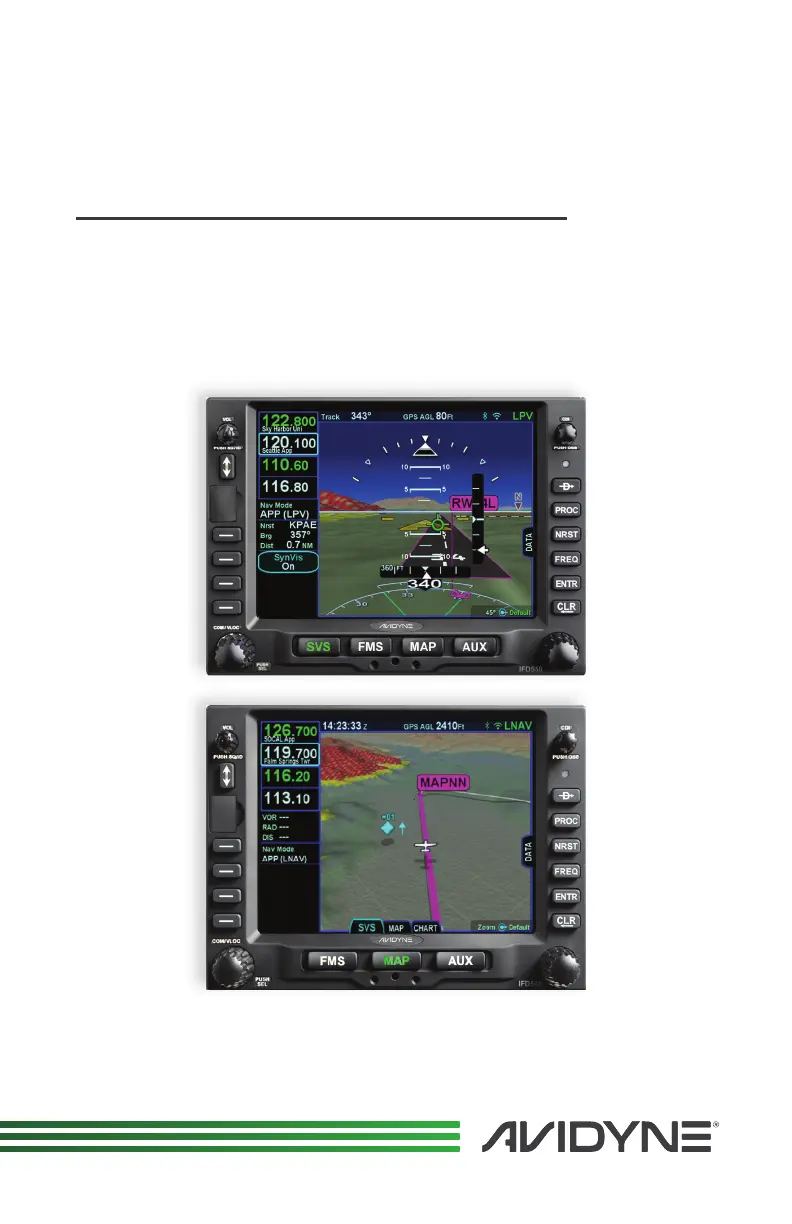
IFD550/IFD540 FMS/GPS/NAV/COM
IFD545/IFD510 FMS/GPS
IFD100 App for iPad

Questions and Answers

  • K
    kimberlypopeAug 18, 2025
    What to do if Avidyne IFD5 unit starts up in Maintenance Mode?
    • H
      Howard GambleAug 19, 2025
      If your Avidyne Car Navigation system unit starts up in Maintenance Mode, it could be due to a USB fob installed at power up, or the IFD was last shut down in Maintenance Mode. Ensure the fob is not in the USB slot and reapply power to the IFD. Alternatively, press the left or right side of the AUX page until the “DONE” Line Select Key is visible and press that LSK to force the IFD to restart into flight mode.
  • L
    Leonard WernerAug 21, 2025
    How to get out of Maintenance Mode on Avidyne Car Navigation system?
    • J
      Joseph JacksonAug 21, 2025
      To exit Maintenance Mode on your Avidyne Car Navigation system, press the left or right side of the AUX page until the “DONE” Line Select Key is visible, then press that LSK to force the IFD to restart into flight mode.
  • B
    Bobby CarsonAug 23, 2025
    What to do if Avidyne Car Navigation system displays appears dim or off?
    • C
      Catherine YorkAug 23, 2025
      If the display of your Avidyne Car Navigation system appears excessively dim or off, it might be configured for 'night mode'. Check the cockpit dimming rheostat position to resolve this.
  • G
    Gary LeeAug 26, 2025
    How to fix Config Mismatch CAS message on Avidyne IFD5 Car Navigation system IFD5XX?
    • K
      Kristina BergAug 26, 2025
      If you're seeing a 'Config Mismatch CAS message' on your Avidyne Car Navigation system IFD5XX (dual IFD5XX only), it indicates a configuration mismatch between the two IFD540 units. Try power cycling the IFD5XX units and verify the configuration on both units.
  • H
    hector04Aug 28, 2025
    What to do if VHF Com is not transmitting on Avidyne IFD5 Car Navigation system?
    • J
      jonathonvalenzuelaAug 28, 2025
      If the VHF Com is not transmitting on your Avidyne Car Navigation system, check the aircraft's PTT switch. Also, check the audio panel (if installed) and the wiring.
  • E
    Elizabeth RodriguezAug 30, 2025
    Why Avidyne Car Navigation system GPS Signal levels are very low?
    • K
      Kimberly HornAug 30, 2025
      Low GPS signal levels on your Avidyne Car Navigation system can be caused by several factors: * Wiring issues: Check the coaxial cable and connectors. * Antenna shading: Verify the antenna is mounted on top of the aircraft and is clear of hangars, buildings, etc. * Interference: Verify another piece of aircraft equipment is not interfering with the GPS system. * Check routing.
  • B
    Brian PageSep 1, 2025
    Why is my Avidyne IFD5 Car Navigation system not getting power?
    • J
      Joseph WalterSep 1, 2025
      If your Avidyne Car Navigation system is not getting power, check the circuit breaker, wiring, and unit seating in the tray.
  • L
    Luis FryeSep 3, 2025
    What causes CMOS Battery Dead message on Avidyne IFD5 Car Navigation system?
    • J
      Jeffrey CallahanSep 3, 2025
      The 'CMOS Battery Dead CAS Message' on your Avidyne Car Navigation system indicates that the 10-year life expectancy of the CMOS battery has been reached. Return the IFD to Avidyne Service Center for battery replacement.
  • R
    ricekimSep 6, 2025
    Why is Avidyne IFD5 IFD5XX not tuning the DME?
    • J
      Janet NolanSep 6, 2025
      If the Avidyne Car Navigation system IFD5XX is not tuning the DME, verify the IFD5XX is configured correctly. Also, check the wiring and verify the DME is configured for the IFD5XX tuning type.
  • J
    Jessica TrevinoSep 8, 2025
    Why is RS-232 Device not communicating with Avidyne Car Navigation system?
    • J
      jcooperSep 8, 2025
      If an RS-232 device is not communicating with your Avidyne Car Navigation system, verify the IFD5XX is configured for the appropriate device. Also, check the wiring and unit seating in the tray.

Avidyne IFD5 Series Specifications

General IconGeneral
Display TypeLCD
TouchscreenYes
Voice ControlNo
Display Size5.7 inches
ConnectivityWi-Fi, Bluetooth
COM TransceiverYes
NAV ReceiverYes
InterfacesRS-232
Traffic InformationYes
Weather InformationYes

Related product manuals