
 Need help?
Do you have a question about the Avionixx AXA 740 and is the answer not in the manual?
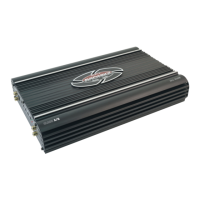
Congratulatory message on purchasing the AX Series amplifier, highlighting design and materials.
Details AX Series amplifiers, their compatibility, power, and installation requirements.
Warning about high sound pressure levels and potential hearing loss from prolonged exposure.
Examples of decibel levels for common sounds to illustrate safe listening practices.
Advice on reading, following instructions, and retaining the manual for future reference.
Details the one-year warranty, registration, and service contact procedures.
Step-by-step guide for mounting the amplifier, including location selection and safety checks.
Specifies wire gauges for power/ground cables and installing an in-line fuse holder for protection.
Guidance on connecting the remote turn-on wire and establishing a secure ground connection.
Steps for connecting the main power cable to the amplifier's +12V terminal.
Instructions for running, stripping, and tinning speaker wires for secure connections.
Diagram and notes for connecting speakers to the AXA 740 in a 4-channel configuration.
Instructions for bridging rear channels to create a 3-channel amplifier setup.
Instructions for bridging front and rear channels to create a 2-channel amplifier setup.
Diagram for mono channel speaker connections for the AXA 850M, noting impedance.
Diagram for mono channel speaker connections for AXD 2200M/3000M, noting impedance.
Guidance on running and connecting RCA cables for audio input/output.
Diagrams showing RCA connections for single and bi-amplified systems.
Instruction to recheck all connections before reconnecting battery and inserting fuse.
How to adjust the input level using the GAIN control for optimal performance.
Explanation of crossover selection (FULL, LPF, HPF) and frequency adjustment on the AXA 740.
Description of POWER and PROTECT LEDs, and thermal/overload protection mechanisms.
Information on the remote control module available for certain AX Series models.
Identification and function of front panel controls like Frequency, Gain, Crossover, Bass Boost, and RCA jacks.
Identification of rear panel components: FUSE, Power Terminals (+12V, REM, GND), and Speaker Terminals.
Identification and function of front panel controls like RCA, Remote, Gain, Subsonic, Low Pass, Bass Boost, Phase Shift.
Identification of rear panel components: FUSE, Power Terminals (+12V, REM, GND), and Speaker Terminals.
Possible causes and solutions for the amplifier not powering up (e.g., remote connection, fuse).
Causes and solutions for amplifier shutdown (e.g., thermal, overload, short circuit protection).
Troubleshooting low output, distortion, poor bass response, and noise issues.
Detailed specifications for RMS power output at various impedances and bridged configurations.
Signal to noise ratio, damping factor, frequency response, input sensitivity, and impedance.
High pass, low pass frequencies, dynamic bass boost, bass EQ frequency, and phase shift capabilities.
 General
| Channels | 4 |
|---|---|
| Frequency response | 10 Hz - 40 kHz |
| Signal-to-noise ratio | > 90 dB |
| THD | < 0.05 % |
| Input sensitivity | 200mV - 4V |
| Signal to Noise Ratio | > 90 dB |
| Lowpass filter | 50Hz - 250Hz |
| Fuse | 25 A |

 To Next Page
