User’s Manual
6-3
3. The Button Panel shows the first five scanning buttons.
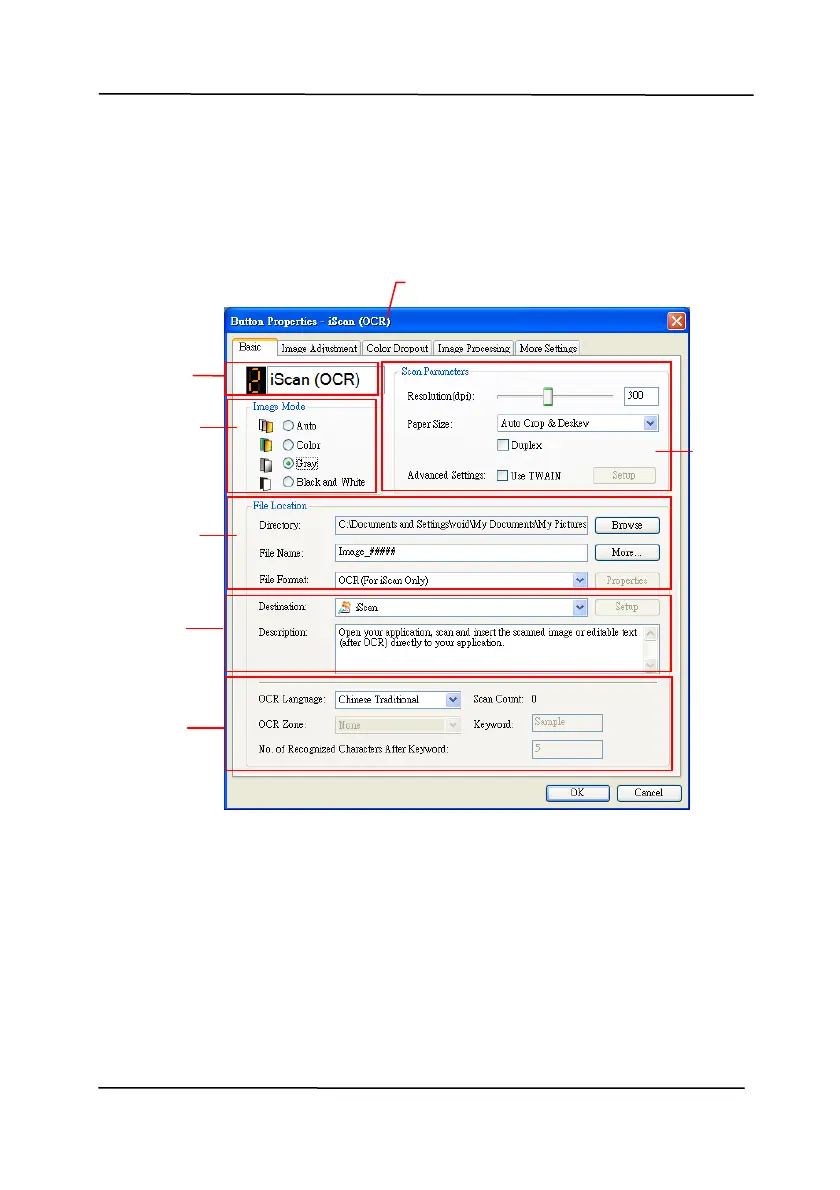
Right-click the button (function) you wish to check. The
Button Properties window appears.
Name of the Selected Button
Folder and
file name
for the
scanned
image
Scan To
destinatio
n
and settings
Image Mode
Selection
Box
Button
Name
Basic Scan
Parameters
OCR
settings
If you wi
sh to change the setting, use this window to reset
the setting for the file format, destination application, or
other scan settings.
4. Click the OK button to leave the window.



 To Next Page