User’s Manual
3-6
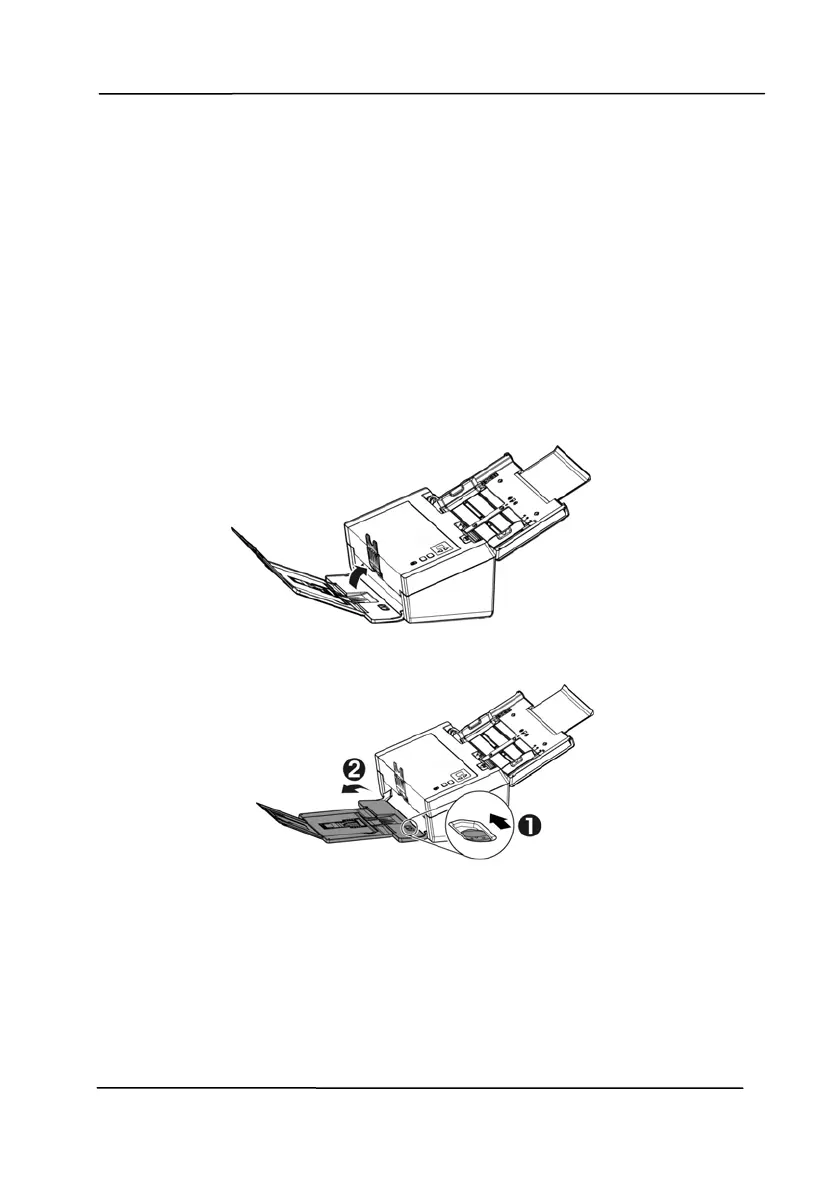
3.1.3 Scanning Thin Paper
To scan a stack of thi
n paper, it is recommended to raise the
paper weight and then make the output tray in a flat position to
keep the paper from rolling or possible paper jams due to the
paper stack in the output tray.
For normal document scanning, press down the paperweight and
keep the output tray in an angled position to prevent paper from
falling apart.
To scan thin paper,
1. Lift up the paperweight as shown.
2. Slide the position adjuster of the output tray to make the
output tray in a flat position.
3. Load a stack of thin paper into the paper tray. Align the
paper guides and make sure the edges of paper slightly
touch the paper guides on both side as illustrated.



 To Next Page