Need help?
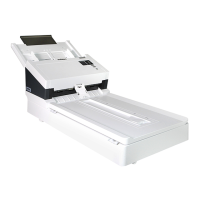
Do you have a question about the Avision AD340G and is the answer not in the manual?
Provides essential safety and environmental guidelines to follow before and during scanner installation.
Guides the user through the process of installing scanner drivers and software from the CD-ROM.
Explains how to connect the scanner to the computer using a USB cable for data transfer.
Guides users on how to use the Avision Capture Tool to test the scanner setup and functionality.
Details the process of loading documents and using the scanner's buttons for one-touch scanning operations.
Provides step-by-step instructions for cleaning the Automatic Document Feeder (ADF) rollers to ensure smooth paper feeding.
Outlines the procedure to safely remove jammed paper from the scanner's Automatic Document Feeder (ADF).
Describes common error conditions, their causes, and methods for restoration, indicated by LED lights and screen drawings.
 General
| Type | Document Scanner |
|---|---|
| Scanning Technology | CIS |
| Optical Resolution | 600 dpi |
| Maximum Document Size | 216 x 356 mm |
| Weight | 4.6 kg |
| Resolution | 600 dpi |
| ADF Capacity | 100 sheets |
| Duplex Scanning | Yes |
| Color Depth | 24-bit |
| Scan Speed (A4, Color) | 40 ppm |
| Scan Speed (A4, B&W) | 40 ppm |
| Scanning Speed | 40 ppm |
| Daily Duty Cycle | 6000 pages |
| Scan Speed (Color, A4, 300dpi) | 40 ppm |
| Paper Handling | ADF |
| Supported Operating Systems | Windows |


 To Next Page