Need help?
Do you have a question about the Avision AM30 Series and is the answer not in the manual?
Details essential safety instructions, warnings, and precautions for device operation and handling.
Introduces the MFP, its models, and key functionalities like scan, copy, print, fax.
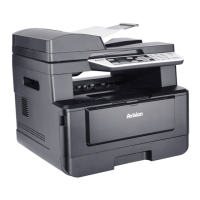
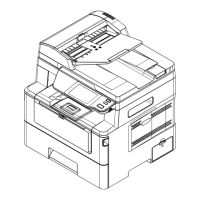
Illustrates and labels the front and rear external components of the device.
Lists all items included in the product package for initial setup and use.
Guides through physical installation, initial configuration, network, and software setup.
Instructions for connecting the printer via wired network, telephone line, and power.
Covers loading paper into the ADF, manual tray, and main input tray.
Explains basic copying, ID card copying, and related settings.
Details scanning to E-mail, CIFS/FTP, USB, and general scanning operations.
Guides on sending faxes, including PC-Fax functionality and settings.
Instructions for printing documents from Android mobile devices wirelessly.
Explains the different sections and functions of the device's control panel.
Configuration for system options, network, SMTP, and IP address settings.
Customization of printer driver features like paper, layout, duplex, and watermarks.
Procedures for saving, loading, and deleting custom scan configurations.
Guides on cleaning the flatbed glass, ADF components, and cassette pad.
Instructions for replacing the toner cartridge and drum unit.
Information on monitoring status, resolving error messages, and system errors.
Steps to clear paper jams from the ADF, trays, and duplex unit.
Solutions for common print quality problems like paper curls and light prints.
Contact information for global technical support services.
Technical details including general, copy, scan, fax, and Wi-Fi specifications.
 General
| Print Technology | Inkjet |
|---|---|
| Copy Resolution | Up to 600 x 600 dpi |
| Scan Type | Flatbed |
| Paper Capacity | Up to 100 sheets |
| Type | All-in-One |
| Functions | Print, Scan, Copy |
| Print Resolution | 1200 x 1200 dpi |
| Scan Resolution | 1200 x 1200 dpi |
| Duplex Printing | No |
| Connectivity | USB |
| Copy Speed (Color) | Up to 4 cpm |
| Interface | USB |
| Supported Media Sizes | A4, Letter, Legal, A5, B5 |
| Operating System Compatibility | Windows, Mac |

 To Next Page