Switching back to the Avision’s User Interface
If you want to switch back to the Avision’s (factory default) user interface, you
can disable your application from the product’s embedded website.
To switch back to the Avision’s user interface,
1. Open your browser and enter the product’s IP address on the URL address.
The product’s embedded web page will be displayed.
2. Login the web page. (default user name and password: admin)
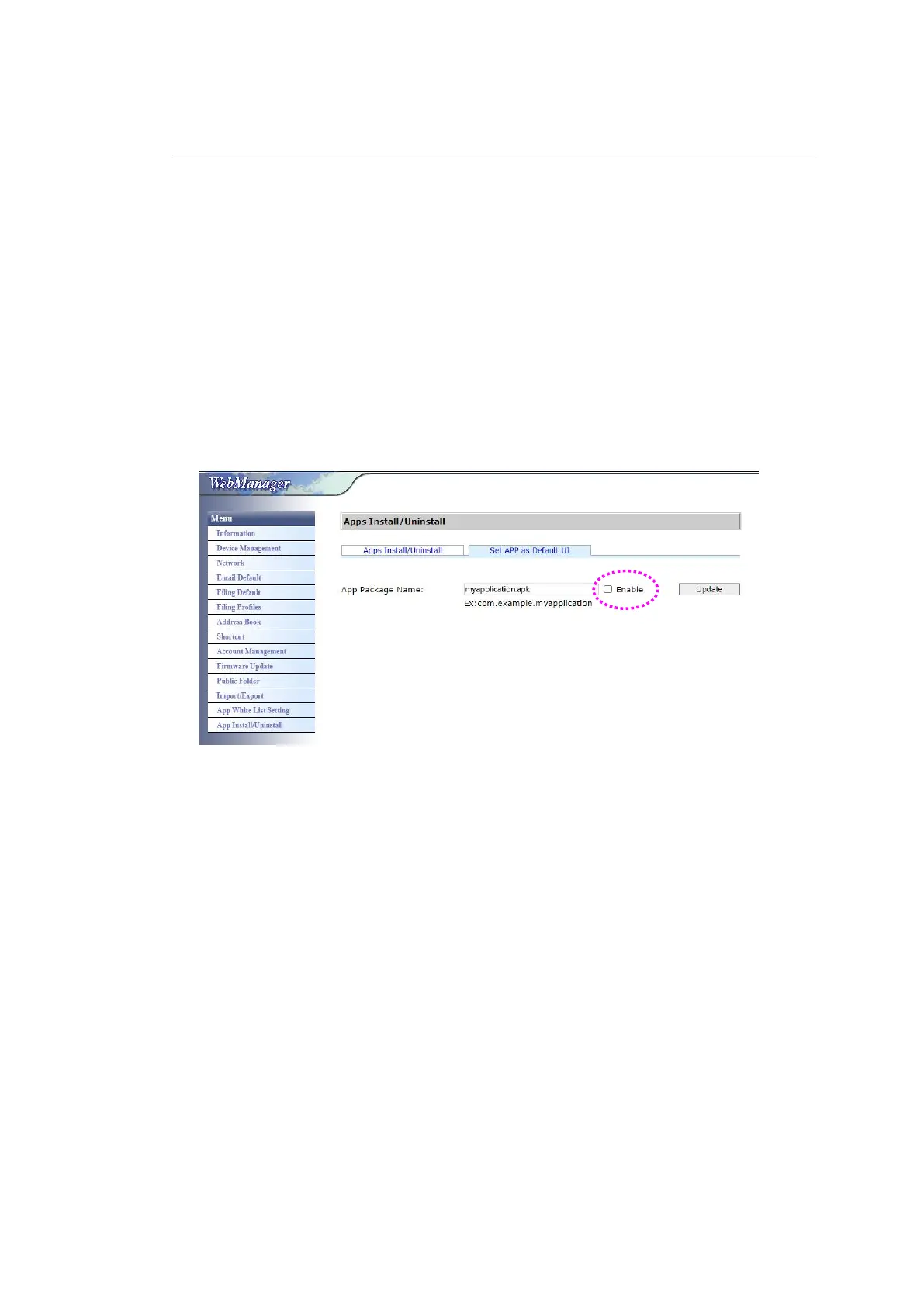
3. Choose [App Install/Uninstall] from the Menu option and select [Set App
as Default UI].
4. Uncheck the [Enable] button and choose [Update] to complete.
5. Restart the machine. The Avision’s user interface will be displayed.


 To Next Page